
A common question in our Microsoft 365 governance workshops is whether to allow the OneDrive client to sync with other organizations.
If needed, modern managed Windows computers can restrict OneDrive syncing to specific Entra ID tenants only.
Previously, we used a Group Policy Object (GPO) to restrict OneDrive access to a designated Active Directory.
In Intune we can use the configuration in the Setting Catalog Allow syncing OneDrive accounts for only specific organizations.
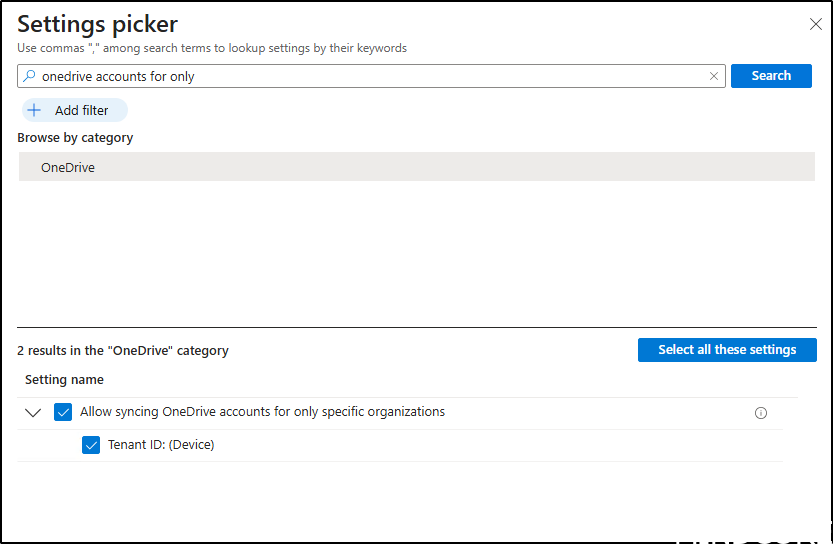
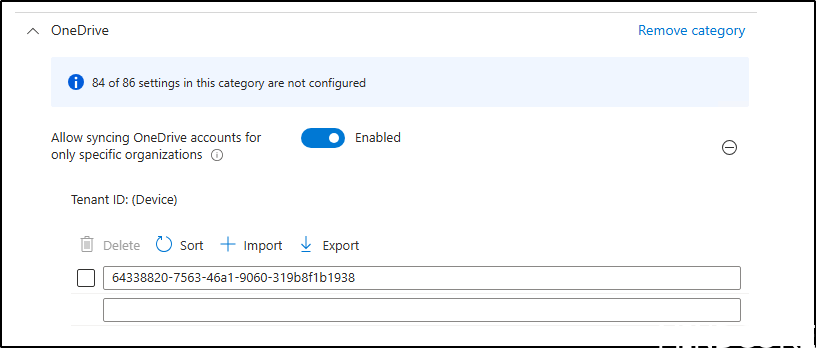
Enter the Tenant ID of the Entra ID you want to allow for synchronization.
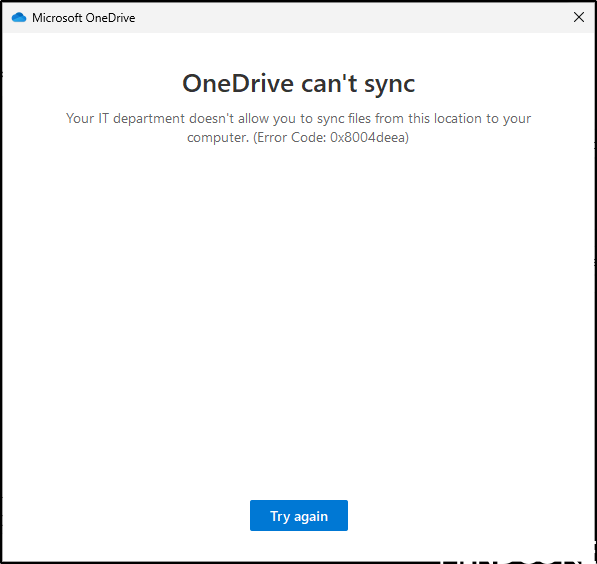
For users on Intune-managed Windows devices, the following outcome will occur if an attempt is made to synchronize OneDrive with another organization.
Another common question that arises in discussions about OneDrive governance is whether users should be permitted to synchronize their personal OneDrive accounts concurrently with their corporate OneDrive accounts.
If the response to this question is negative, it is also possible to restrict this capability on our current managed Entra ID-joined devices through Intune.
In Intune we can use the configuration in the Setting Catalog Prevent users from syncing personal OneDrive accounts (User).
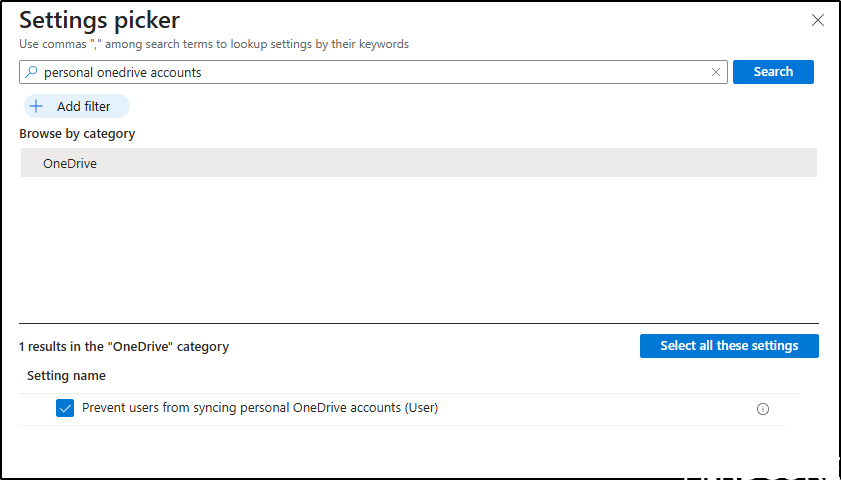
And then enable this setting.

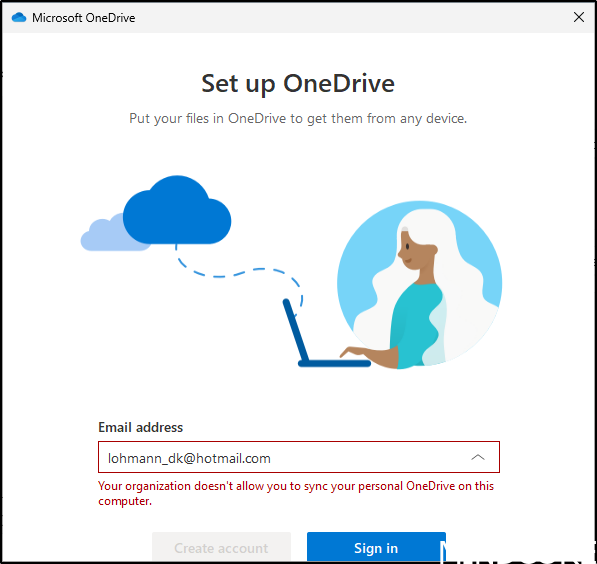
For users on Intune-managed Windows devices, the following outcome will occur if an attempt is made to synchronize a personal OneDrive account.
There has also been a lot of questions regarding roadmap ID Link
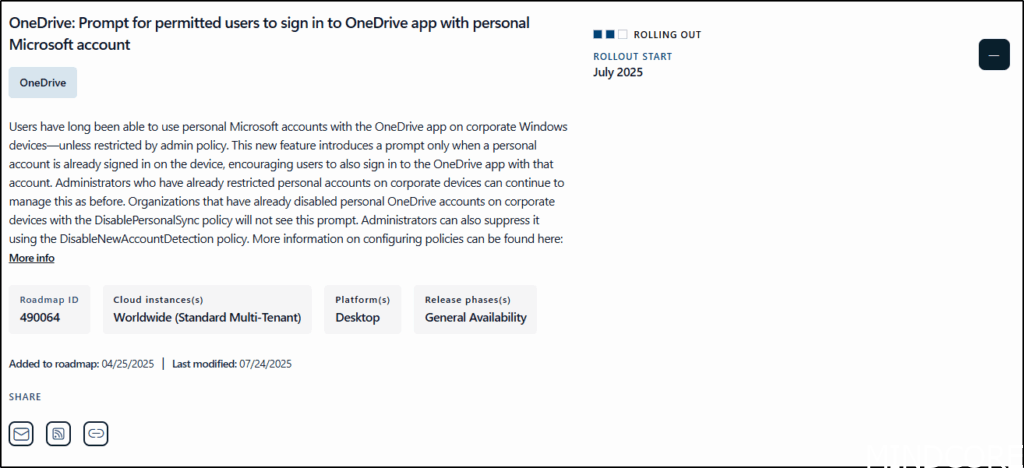
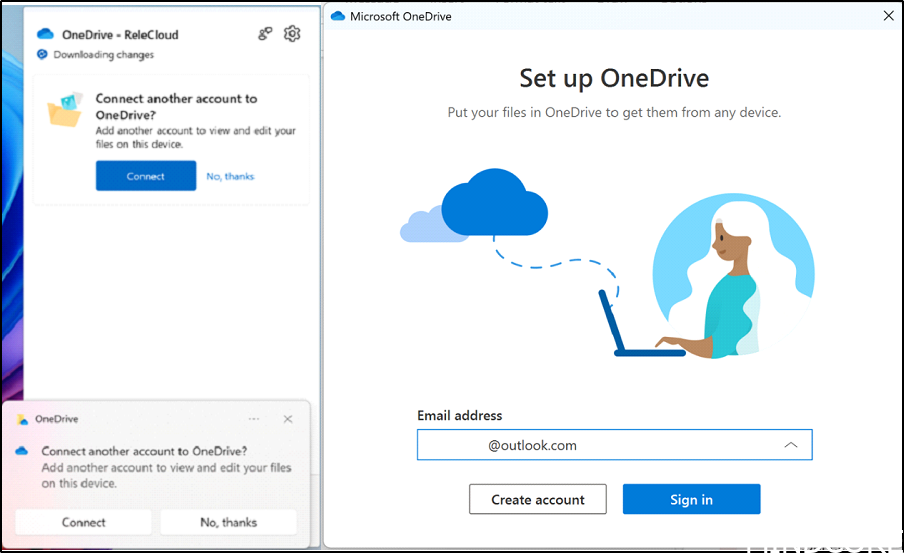
This feature activates a prompt when a personal account is already available on the device, encouraging users to log in to the OneDrive app using that account as well.
Microsoft has released more information regarding this change in this Link
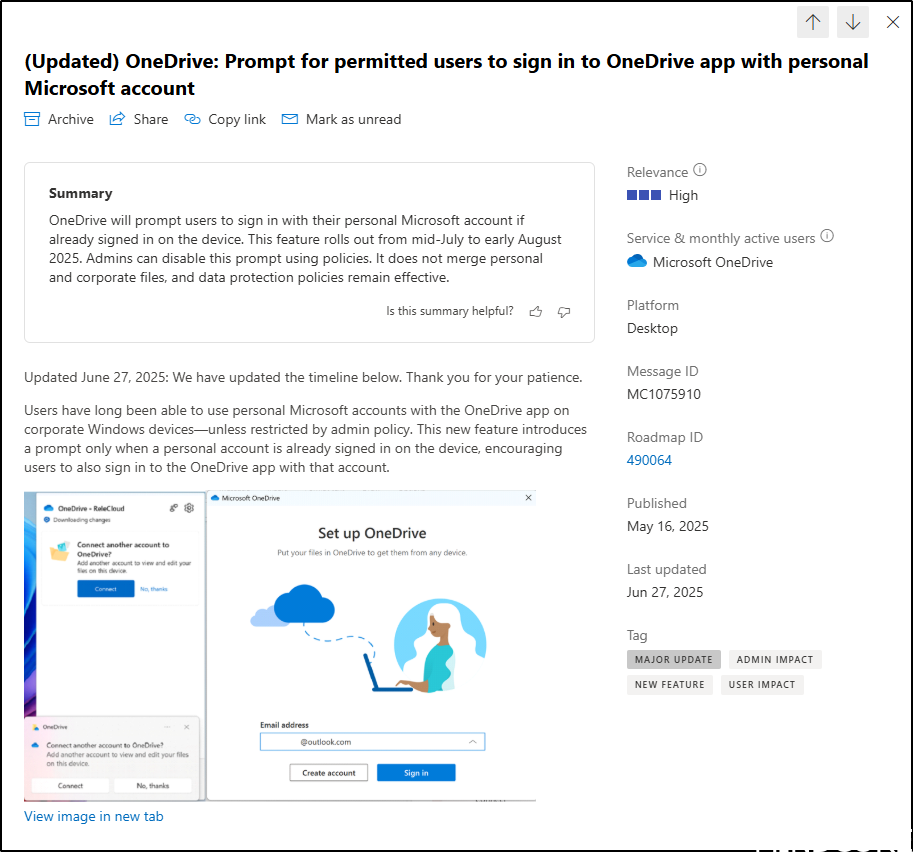
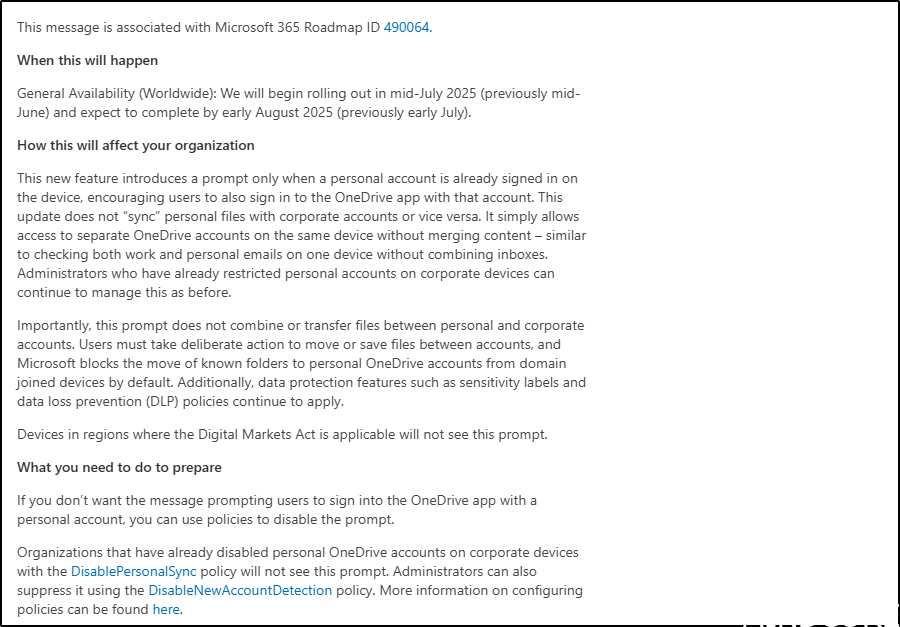
This will not affect EU users, since Devices in regions where the Digital Markets Act is applicable will not see this prompt. However, we still recommend disabling Personal OneDrive sync on corporate devices if you want to prevent your users from syncing personal OneDrive.
During our Governance workshops, the process begins with a governance data collector that compiles detailed information about the current Microsoft 365 configuration and identifies possible areas for improvement. Certain settings referenced in the post are not collected, as they can be managed through Intune, Group Policy Objects (GPOs), registry entries, scripts, or other administrative methods. Nevertheless, these topics will remain open for discussion during the workshops.
And now a short message in Danish.
Hos Mindcore elsker vi at dele viden, men det er vores Danske kunder der rent faktisk gør dette arbejde muligt. Hvis du er interesseret i hvad vi kan tilbyde i forhold til Microsoft 365 Governance og sikkerhed, Azure ARC, Intune eller nogen af de andre områder vi har skrevet om her på bloggen, så kontakt os på info@mindcore.dk eller telefon 51 91 44 10.








