SharePoint

Microsoft Teams and external members Pt. 1

Many customers using Microsoft Teams request teams restricted to internal members, without guest account access. Teams’ behavior is very often controlled by SharePoint or Microsoft 365 Group settings and a typical team user may not know anything about these settings. We recommend building your own app or automation to ensure

Continue to read »

Inactive Teams and governance

During our Microsoft 365 Governance workshops with customers, a common question is how to handle inactive teams. Our primary recommendation is to implement automated processes for archiving inactive teams, team owners can also archive a team themselves. The team’s conversations and files will be set to read-only and remain searchable.

Continue to read »

Default selected options when sharing files in Teams

When you select Share on a file in Teams, it is actually shared in SharePoint. The default options selected can be changed, and when we run our Microsoft 365 Governance workshops this is often a required action for a lot of customers. By default SharePoint will show these option when

Continue to read »

Teams and file sync to OneDrive Pt. 2

As explained in Part one, a common Microsoft 365 Governance workshop question is how to use the Sync to OneDrive and Add shortcut to OneDrive features, both found under the Files tab in Teams channels. We recommend using only Add shortcut to OneDrive and disabling Sync. However, here we’ll also

Continue to read »

Teams and file sync to OneDrive Pt. 1

A common inquiry that arises during our Microsoft 365 Governance workshop concerns the use of the Sync to OneDrive feature in Teams and the Add shortcut to OneDrive option. Both functionalities are accessible from the Files tab within a Teams channel. We normally recommend using Add shortcut to OneDrive instead

Continue to read »

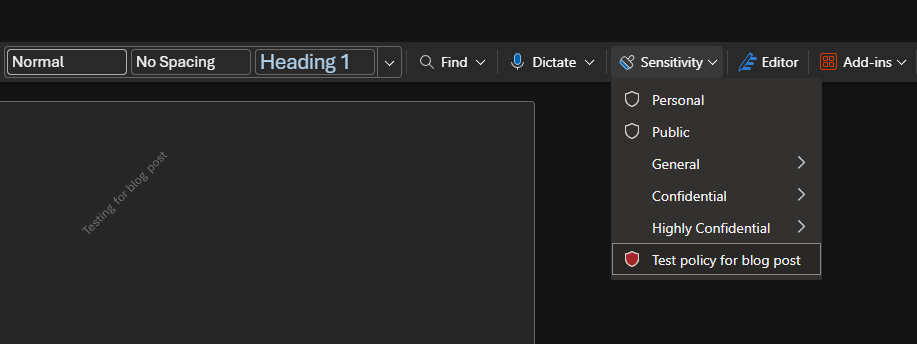
Microsoft Purview – Enabling Sensitivity (Purview) Labels for documents in Teams

Introduction Microsoft Purview is Microsoft’s unified data governance, compliance, and risk platform. It lets you discover, classify, label, protect, retain, and monitor data across Microsoft 365, On-Premises, multicloud, and SaaS sources. It centralizes policies (like sensitivity labels) to enforce consistent security and compliance. During our Governance workshops, we initiate the

Continue to read »

SharePoint integration with Entra B2B (2025)

In 2022 we wrote a post about SharePoint and OneDrive integration with Microsoft Entra B2B. As of 2025, the information in this post remains relevant for tenants created before June 2023; tenants provisioned after that date have Entra B2B integration enabled by default. Now, only one command is needed instead

Continue to read »

Languages confusion in Microsoft 365 portals

Introduction You may think that setting up a language in Microsoft 365 [admin.microsoft.com] portals may be straightforward. However, it may not be as obvious as it seems at first, and there are many factors which can play a role in that. The Basics The interface language of Azure [portal.azure.com] and

Continue to read »

SharePoint integration with Azure AD B2B

When we share data In SharePoint with a user outside our directory, SharePoint will by default use a one-time code sent to the user so the user can verify their identity. This is also the case with OneDrive and if you do it from teams using open in SharePoint. But

Continue to read »

Governance and compliance in Office365 – part 1

Governance and compliance in Office365 is more relevant than ever and Microsoft has a few tools in the toolbox that helps companies get compliant when it comes to documents in SharePoint Online, Teams, OneDrive for Business and Exchange Online. While GDPR shone a light on a lot of issues, it

Continue to read »
Search blog posts
Search
Authors
Modern Workplace consultant and a Microsoft MVP in Enterprise Mobility.

Modern Workplace consultant and a Microsoft MVP in Windows and Devices.

Infrastructure architect with focus on Modern Workplace and Microsoft 365 security.

Cloud & security specialist with focus on Microsoft backend products and cloud technologies.

Cloud & security specialist with focus on Microsoft 365.

Cloud & Security Specialist, with a passion for all things Cybersecurity

Cloud and infrastructure security specialist with background in networking.

Infrastructure architect with focus on design, implementation, migration and consolidation.

Infrastructure consultant with focus on cloud solutions in Office365 and Azure.

Modern workplace and infrastructure architect with a focus on Microsoft 365 and security.

follow us in feedly
Categories
  • Follow on SoMe