
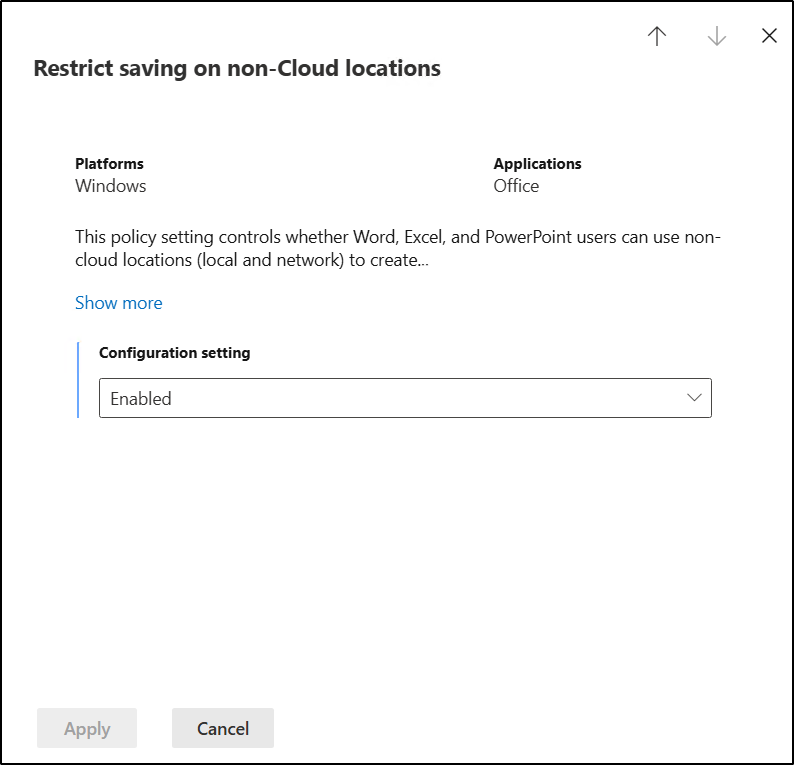
A new policy setting has been introduced in Microsoft 365 Apps for Enterprise that governs the ability of Word, Excel, and PowerPoint to create new files using non-Cloud locations, such as local or network drives. When this policy is enabled, users will be restricted to Cloud Locations for the Save As and Save new files operations.
This policy setting is relevant exclusively to subscription-based Office products, including Microsoft 365 Apps for Enterprise.
Restrict new file creation in Office desktop apps to Cloud Locations
It is possible to utilize traditional Group Policy Objects by downloading the latest ADMX files for Office, or alternatively, configure this setting through config.office.com.
Administrative Template files (ADMX/ADML) for Microsoft Office
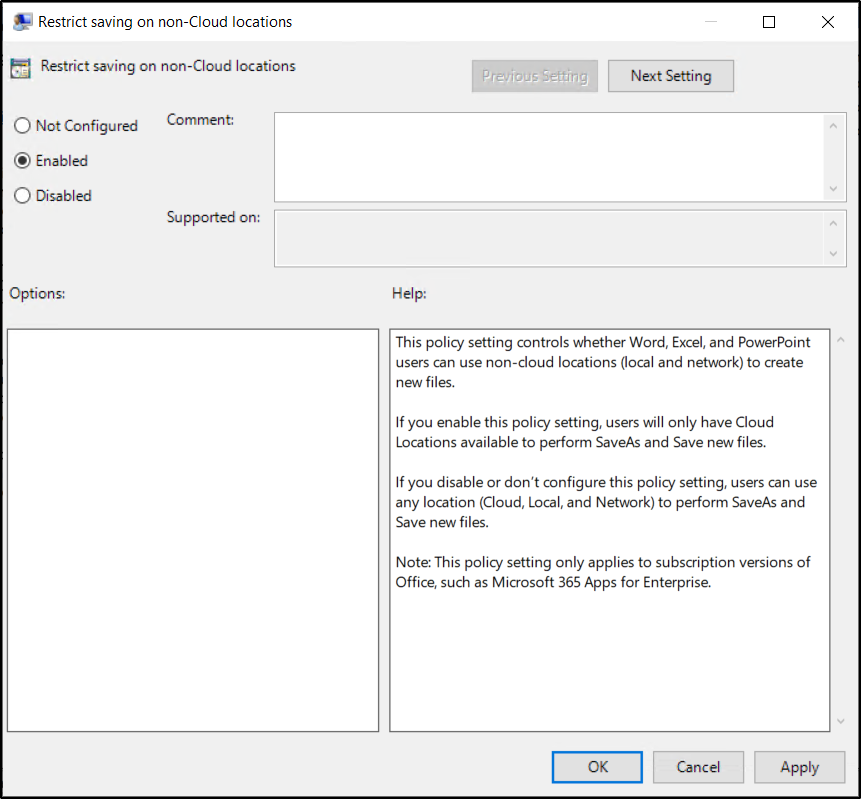
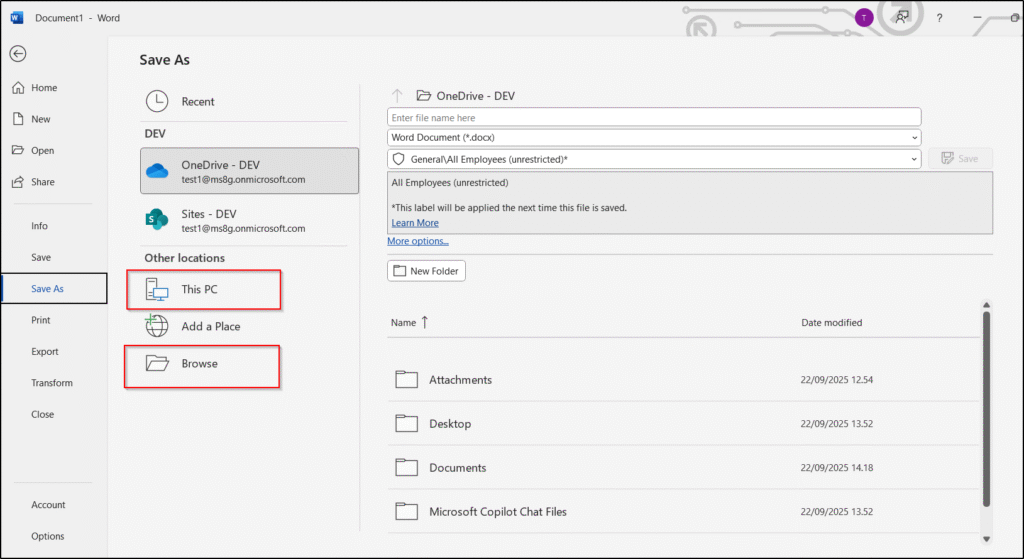
If this setting isn’t defined, you can use This PC or Browse to save the file locally.
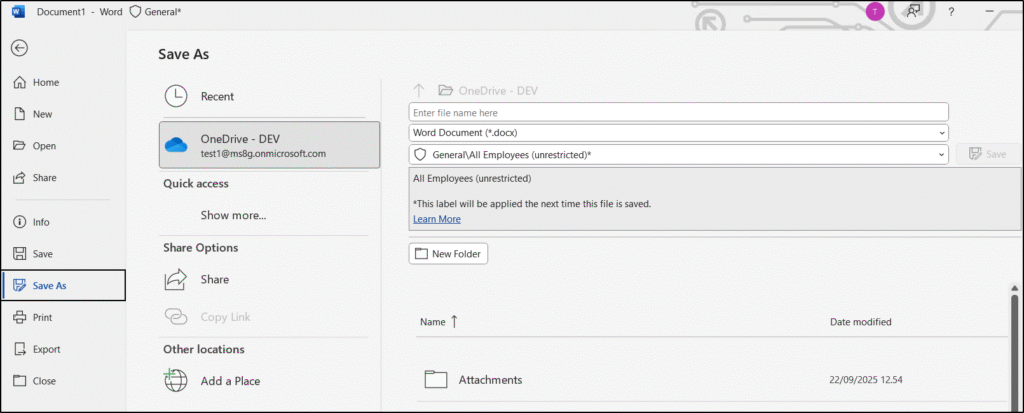
When this configuration is enabled, both options are no longer displayed.
Save and Save a Copy will show only Cloud locations, hiding all local destinations in Office programs. If Known Folders are redirected to OneDrive (KFM), they become Cloud folders and remain available for Save and Save a Copy.
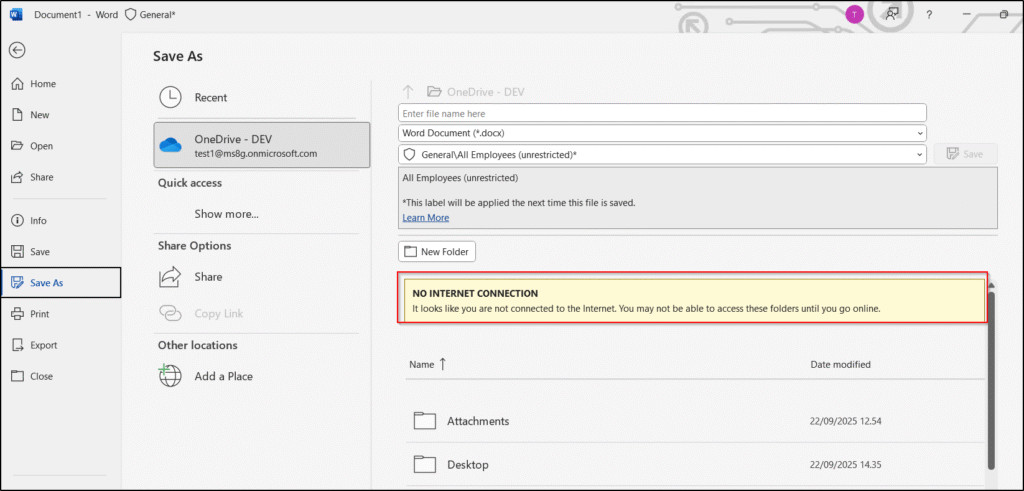
If you’re offline, you’ll get a warning but can still save files locally to your OneDrive folder, so saving remains available. It syncs once the device reconnects to the internet.
This has been tested using Current Channel (Preview).
Various settings in SharePoint and Entra ID can affect users’ experiences with Microsoft 365. In our Governance workshops, the process begins with a governance data collector that gathers details about the current Microsoft 365 configuration and identifies areas where different approaches may be evaluated. For instance, the use of this setting is now added to our data collector so that we can discuss based on an informed basis.
And now a short message in Danish
Hos Mindcore elsker vi at dele viden, men det er vores Danske kunder der rent faktisk gør dette arbejde muligt. Hvis du er interesseret i hvad vi kan tilbyde i forhold til Microsoft 365 Governance og sikkerhed, Azure ARC, Intune eller nogen af de andre områder vi har skrevet om her på bloggen, så kontakt os på info@mindcore.dk eller telefon 51 91 44 10.








