
As explained in Part one, a common Microsoft 365 Governance workshop question is how to use the Sync to OneDrive and Add shortcut to OneDrive features, both found under the Files tab in Teams channels.
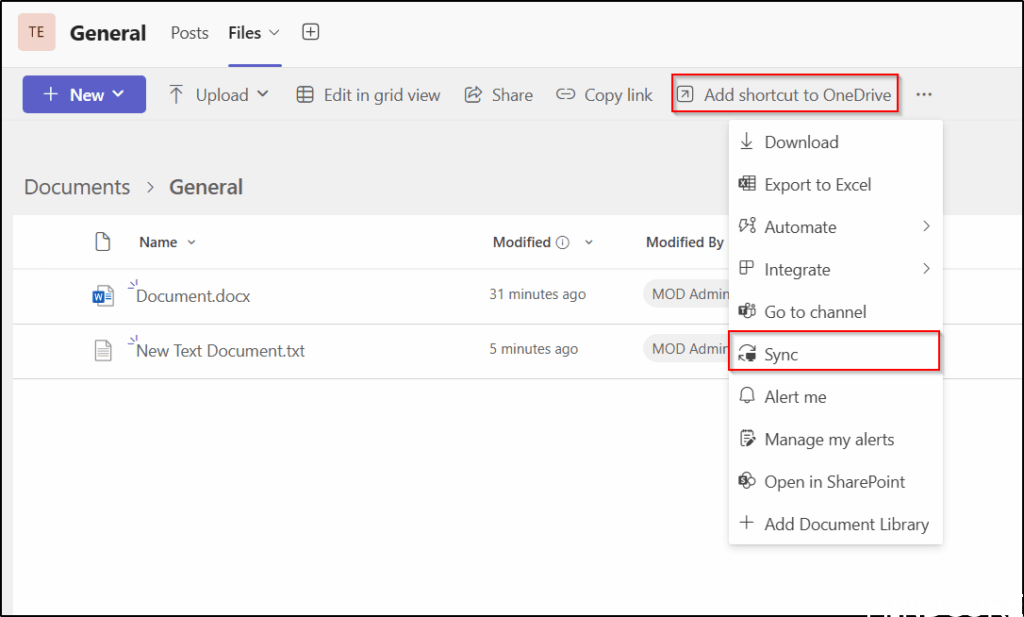
We recommend using only Add shortcut to OneDrive and disabling Sync. However, here we’ll also cover how to remove Add shortcut to OneDrive.
SharePoint, the Microsoft 365 admin portal, and Entra ID all significantly impact on how users experience Microsoft 365 and Teams. In our Governance workshops, we always begin with our governance data collector that gathers details about the current Microsoft 365 configuration and identifies areas where we suggest alternative approaches, the guest sharing options are a good example of data we collect for teams.
But let’s test out the option to remove Add shortcut to OneDrive using SharePoint Online Management Shell.
Download the latest SharePoint Online Management Shell.
First, we connect to SharePoint as a SharePoint Administrator.
Next we use the Set-SPOTenant PowerShell cmdlet to remove the Add shortcut to OneDrive button.
Connect-SPOService -url https://tenant-admin.sharepoint.com
Set-SPOTenant -DisableAddShortCutsToOneDrive $True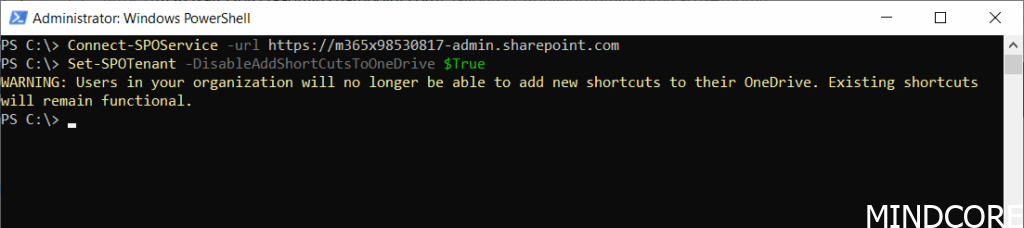
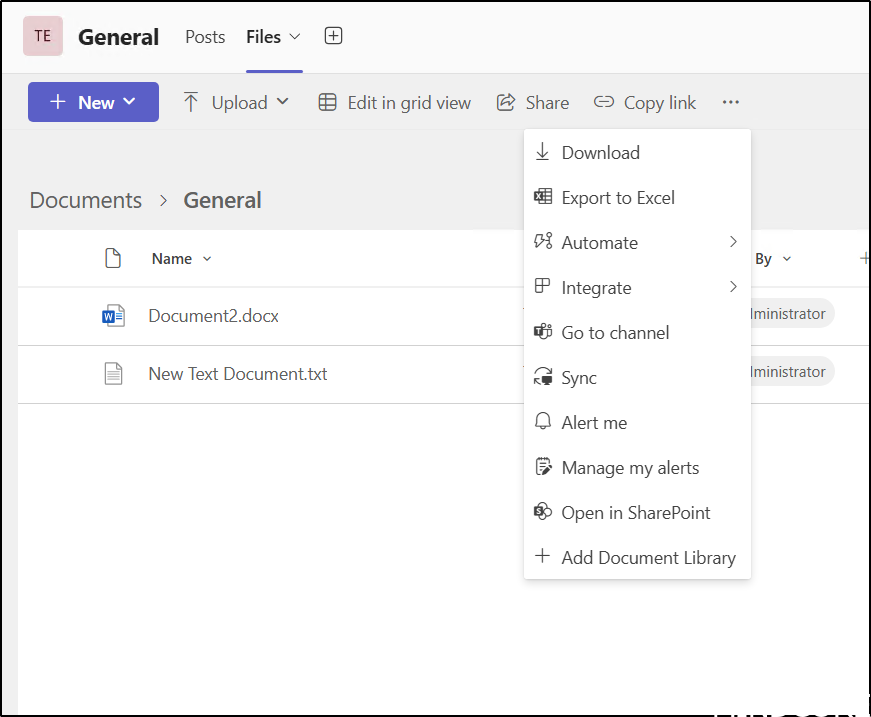
And as a result, the Add shortcut to OneDrive button is gone from Teams.
Teams’ behavior is very often controlled by SharePoint or Microsoft 365 Group settings and a typical team user may not know anything about these settings. We recommend building your own app or automation to ensure SharePoint and Microsoft 365 Group settings meet requirements, such as Naming standards, download control, guest access, sharing options, folder structures and much more. We’ve successfully assisted many customers in implementing this approach for better teams’ management.
Since we don’t recommend removing Add shortcut to OneDrive, lets get it back:
Connect-SPOService -url https://tenant-admin.sharepoint.com
Set-SPOTenant -DisableAddShortCutsToOneDrive $False
Happy testing and stay tuned for more SharePoint or Microsoft 365 Group settings that can affect teams.
And now a short message in Danish 🙂
Hos Mindcore elsker vi at dele viden, men det er vores Danske kunder der rent faktisk gør dette arbejde muligt. Hvis du er interesseret i hvad vi kan tilbyde i forhold til Microsoft 365 Governance og sikkerhed, Azure ARC, Intune eller nogen af de andre områder vi har skrevet om her på bloggen, så kontakt os på info@mindcore.dk eller telefon 51 91 44 10.








