
We are starting to see the Unlock Teams Premium prompt, on more tenants, and at the same time we are now also starting to get the question on our Microsoft 365 Governance workshops.
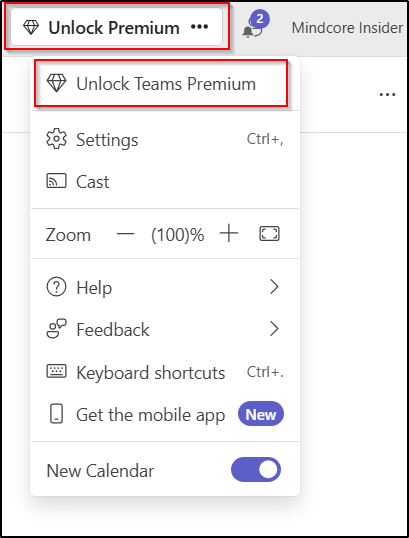
Teams Premium is not the only license that users can do self-service/trials set up and purchase on.
To prevent this, we can use the admin portal or PowerShell.
Let start in the admin portal https://admin.microsoft.com/ and go to Settings – Org Settings – Self-service trials and purchases.
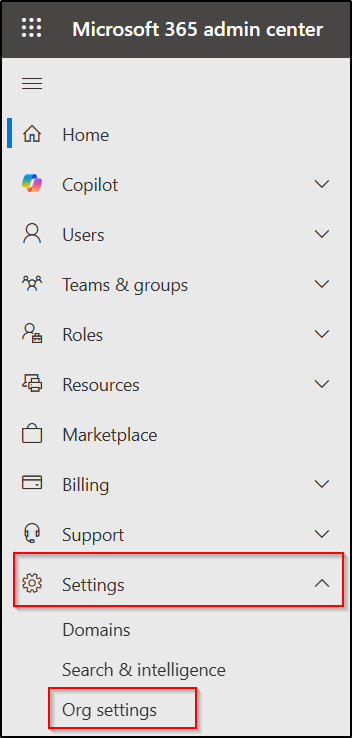
Here we can disallow self-service sign-up for Microsoft Teams Premium.
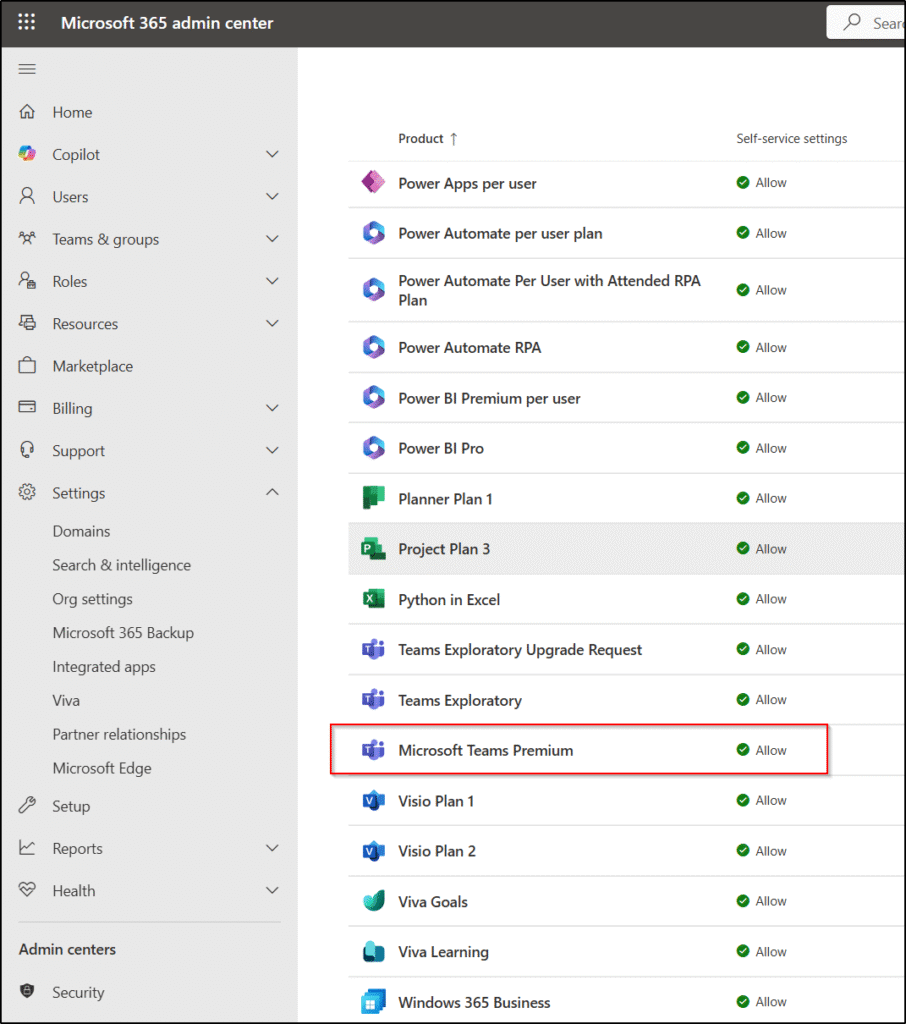
By setting it to Do not allow and saving.
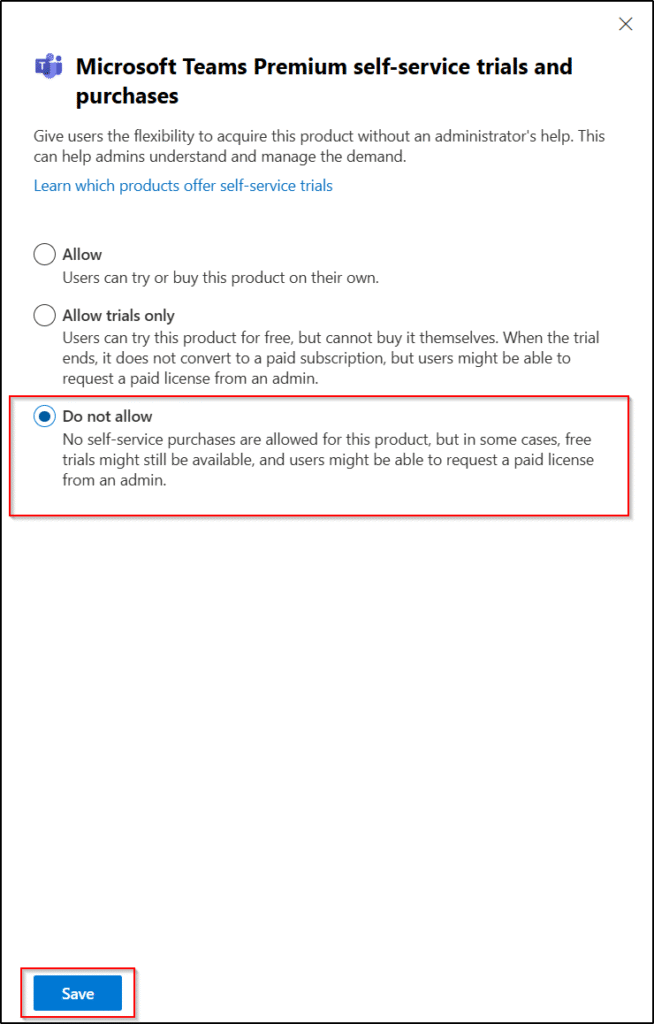
Status will then change to Do not allow.

If we wish to do the same with PowerShell, we need to use the MSCommerce PowerShell module.
First let’s see all Products where self service purchase is allowed using these commands.
Connect-MSCommerce
Get-MSCommerceProductPolicies -PolicyId AllowSelfServicePurchase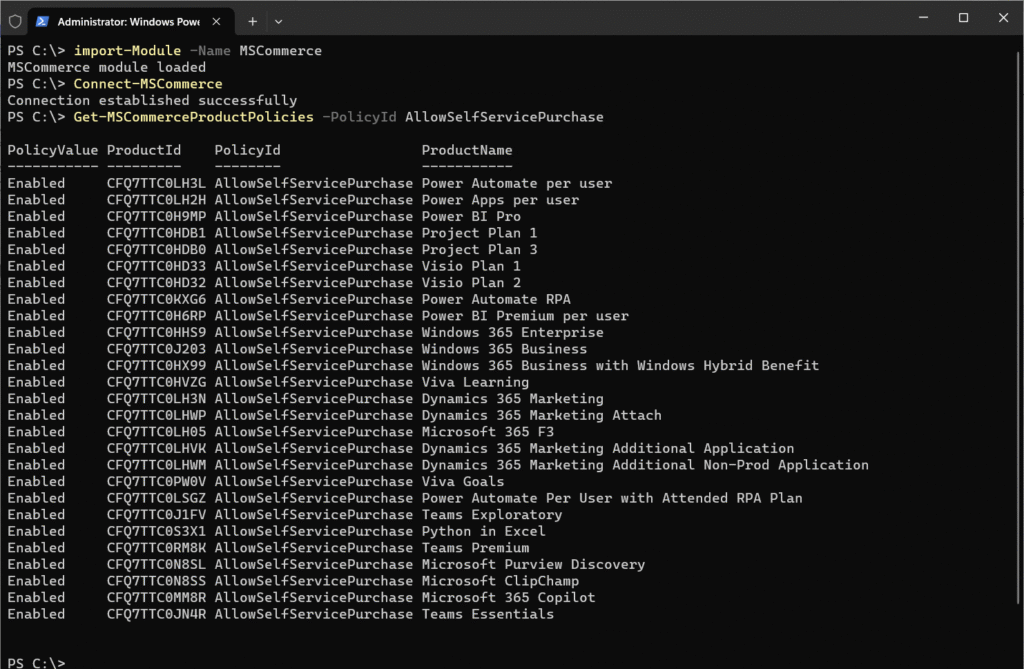
If we wish to disallow Teams Premium use the command:
Update-MSCommerceProductPolicy -PolicyId AllowSelfServicePurchase -ProductId CFQ7TTC0RM8K -Enabled $False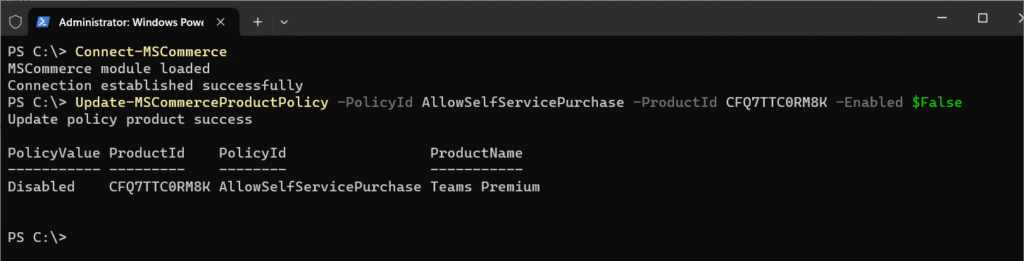
And if all products should be disabled you can use these commands:
Foreach ($Product in $Products) {
Update-MSCommerceProductPolicy -PolicyId AllowSelfServicePurchase -Enabled $False -ProductId $Product.ProductID
}
Manage self-service purchases and trials (for admins)
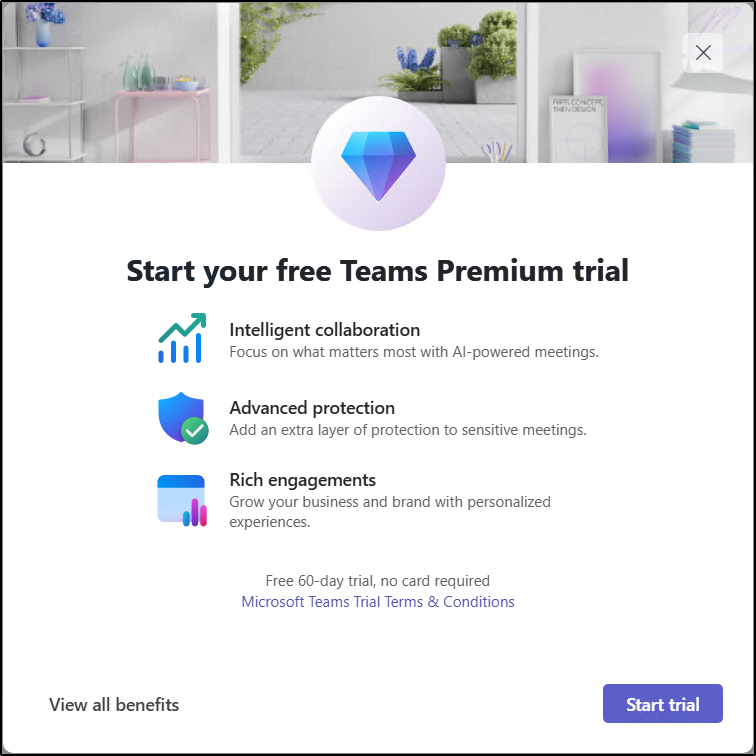
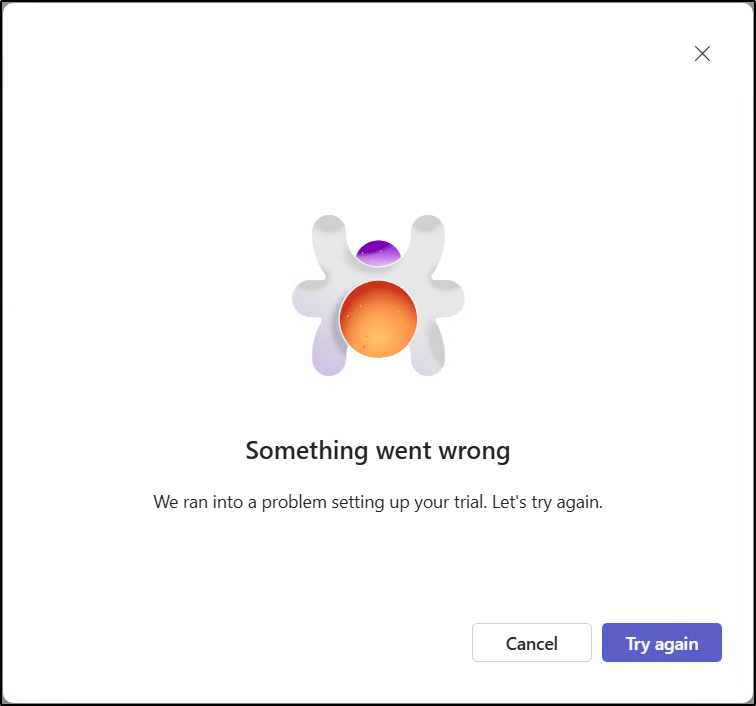
Please be aware that it may take several days for the prompt to disappear; instances of over five days have been observed. However, when self-service is enabled, users’ ability to sign up is blocked immediately, showing the user a something went wrong dialog.
Various settings in SharePoint and Entra ID can affect users’ experiences with Microsoft 365. In our Governance workshops, the process begins with a governance data collector that gathers details about the current Microsoft 365 configuration and identifies areas where different approaches may be evaluated. For instance, if we allow self service purchase is settings we collect so that we can discuss this setting based on an informed basis.
And now a short message in Danish
Hos Mindcore elsker vi at dele viden, men det er vores Danske kunder der rent faktisk gør dette arbejde muligt. Hvis du er interesseret i hvad vi kan tilbyde i forhold til Microsoft 365 Governance og sikkerhed, Azure ARC, Intune eller nogen af de andre områder vi har skrevet om her på bloggen, så kontakt os på info@mindcore.dk eller telefon 51 91 44 10.








