
When you select Share on a file in Teams, it is actually shared in SharePoint.
The default options selected can be changed, and when we run our Microsoft 365 Governance workshops this is often a required action for a lot of customers.
By default SharePoint will show these option when sharing from Teams.
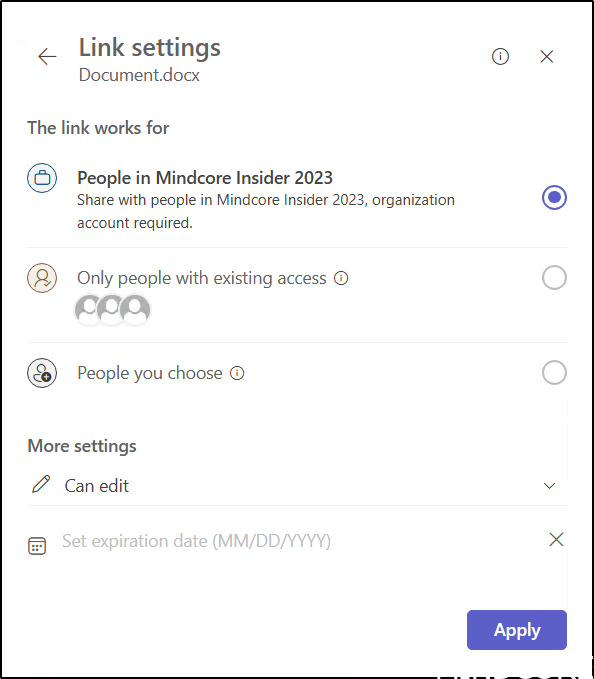
Again since we are sharing from a Team site, default is set to Only people in your organization, and permission is set to Edit.
Many customers prefer to set the default option to Only people in your organization with View access. While users can modify this setting if needed, most companies aim to have the default configured for higher restriction.
We can control the tenant settings in the SharePoint Admin Center Under Policies – Sharing.
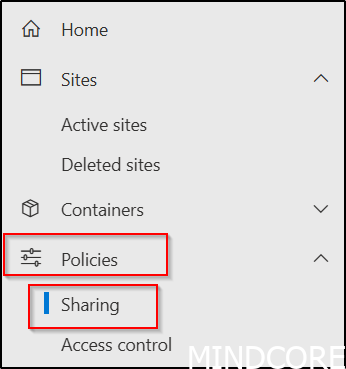
Default tenant setting is this.
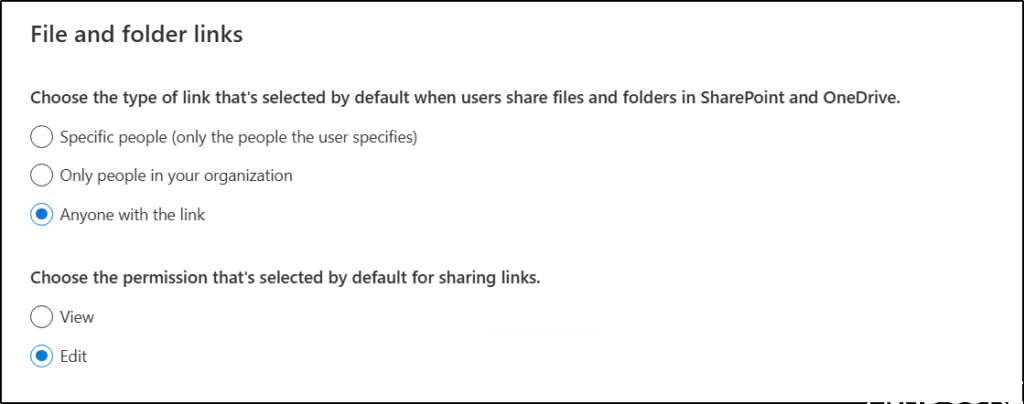
But let’s change it to a more restritive default.
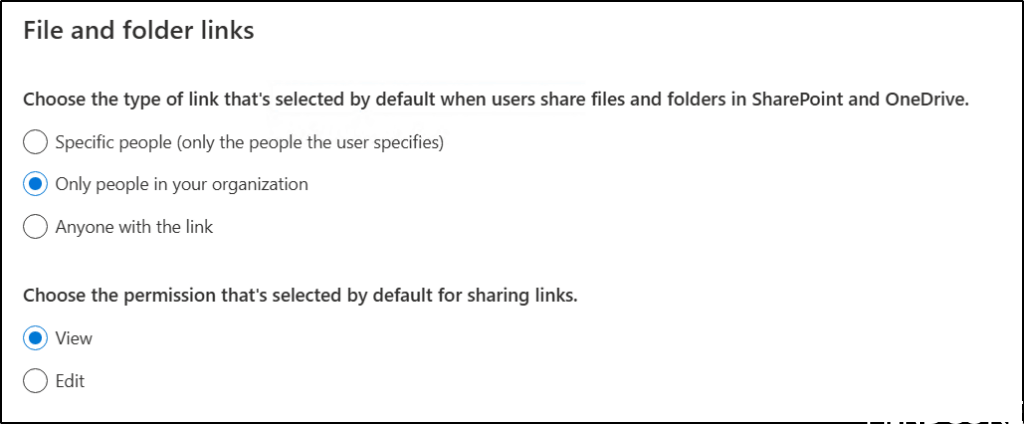
The default sharing settings in Teams have now been updated as anticipated.
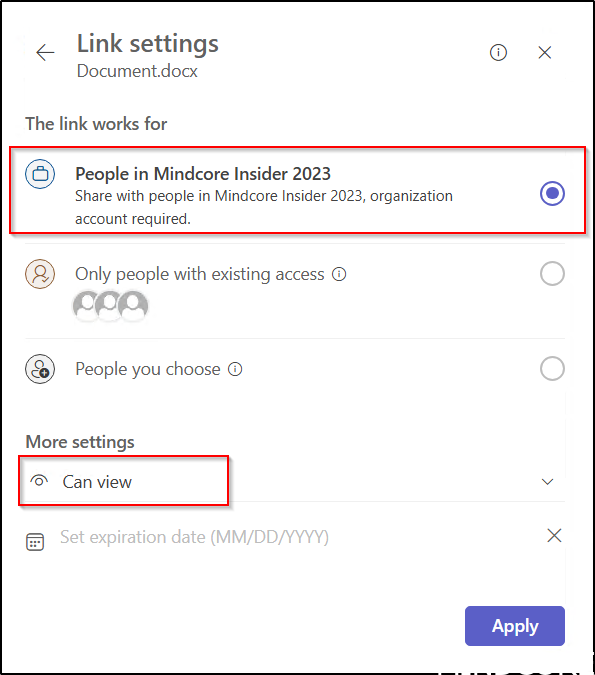
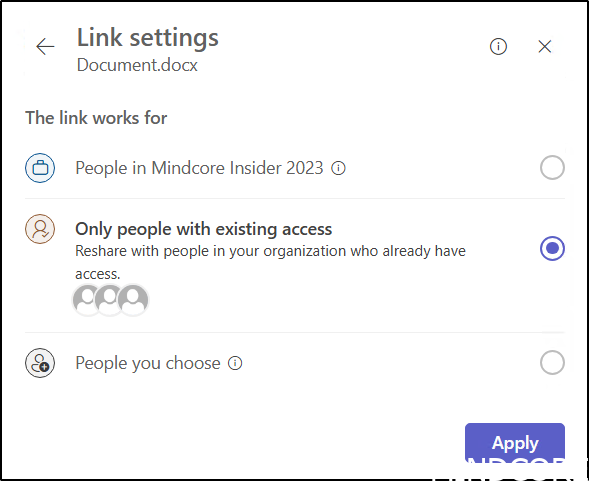
We recommend selecting the option, Only people with existing access. However, this choice is not available as a default setting in the SharePoint Admin portal. Our recommendation is based on the fact that this option does not alter the existing permissions on the object.
We can still modify this for Teams at the tenant level using the following PowerShell code using the SharePoint Online Management Shell.
Download the latest SharePoint Online Management Shell.
First, we connect to SharePoint as a SharePoint Administrator.
Next we use the Set-SPOTenant PowerShell cmdlet to change the default for Teams.
Connect-SPOService -url https://m365x98530817-admin.sharepoint.com
PS C:\> Set-SPOTenant -CoreDefaultLinkToExistingAccess $true
When sharing from Teams again, it appears as follows.
During our Governance workshops, we initiate the process with a governance data collector that compiles comprehensive information regarding the current Microsoft 365 configuration and highlights areas for potential improvement. For instance, we document these default settings to facilitate further discussion during the workshop.
And now a short message in Danish.
Hos Mindcore elsker vi at dele viden, men det er vores Danske kunder der rent faktisk gør dette arbejde muligt. Hvis du er interesseret i hvad vi kan tilbyde i forhold til Microsoft 365 Governance og sikkerhed, Azure ARC, Intune eller nogen af de andre områder vi har skrevet om her på bloggen, så kontakt os på info@mindcore.dk eller telefon 51 91 44 10.








