
You can email a Teams channel using its email address. Once set up, anyone in the team can reply.
To see a channel email, you must select use the option Get email address on the channel itself.
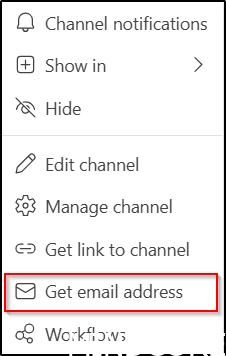
You may use this email address as the recipient address in Outlook.
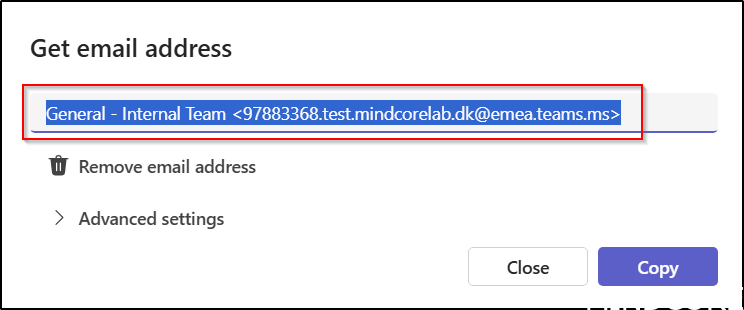
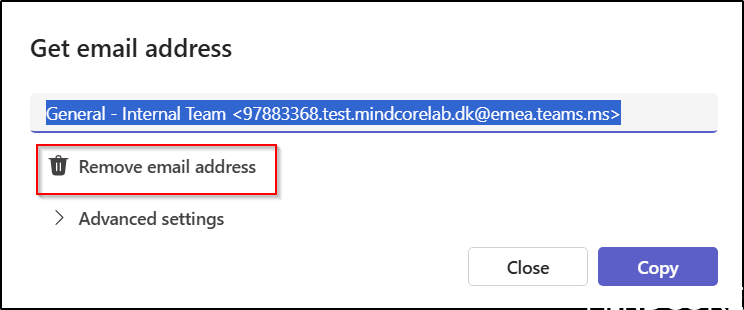
Any team member can remove the email address, but a new one will be generated each time another member requests it. A new email address invalidates the previous one.
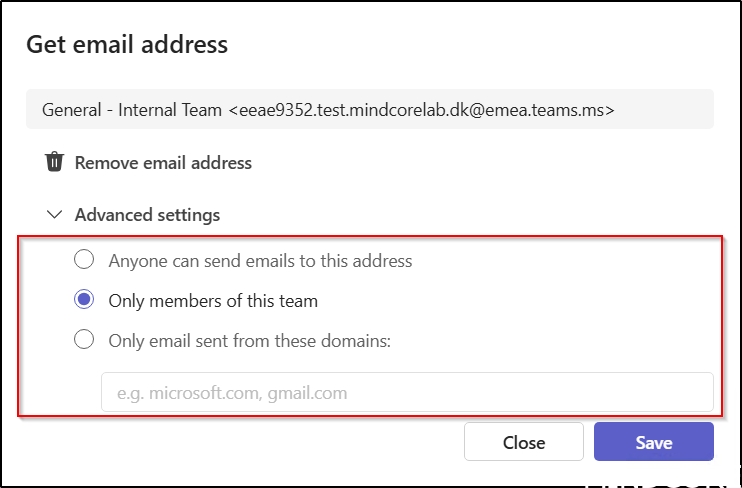
Within Advanced settings, each member has the option to specify whether the channel may receive emails from external sources on the Internet, exclusively from team members, or solely from designated domains.
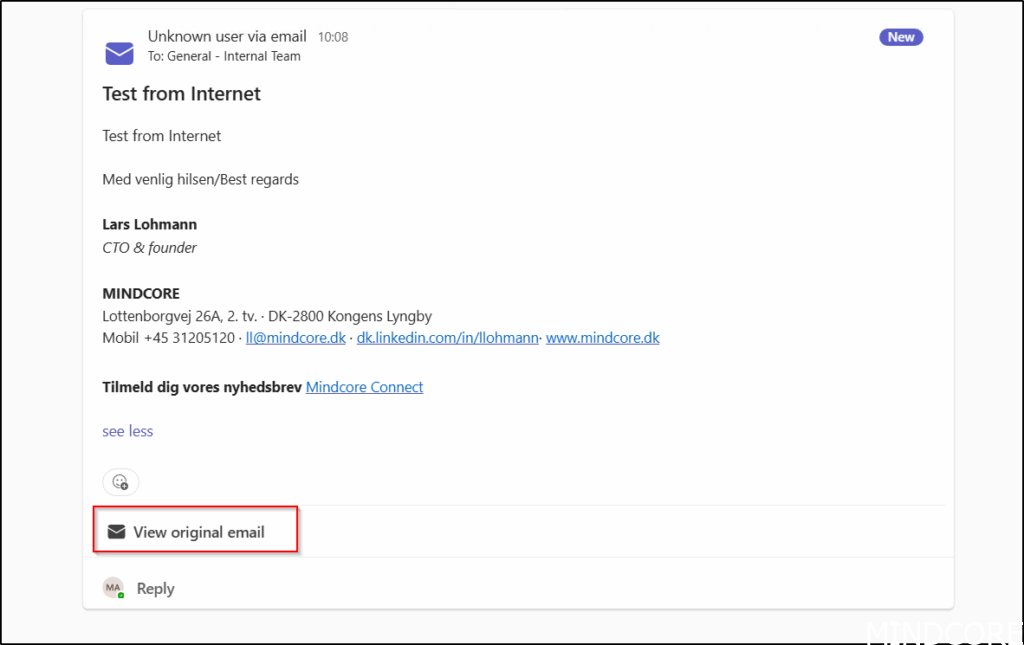
This is an example of an external email sent to a Teams channel. Note that the original message can also be viewed as an .eml file.
The ability to send emails to a teams’ channel can be relevant for governance purposes, as all members have the option to modify this setting.
We can remove this option across the tenant, but we lack full control at the team or channel level.
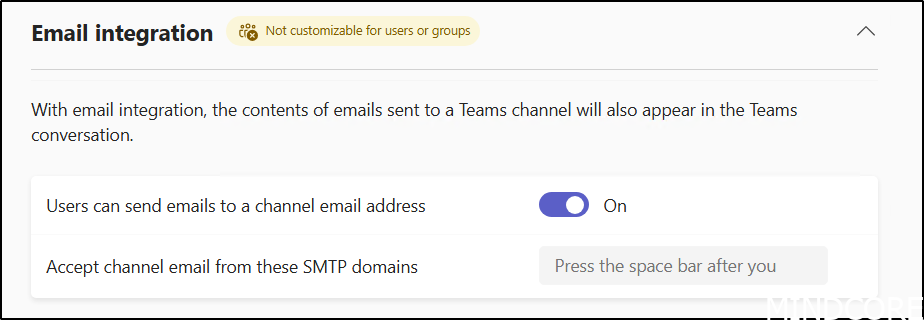
In the Teams admin portal, you can disable the Users can send emails to a channel email address option to remove this feature for all teams.
Additionally, it is possible to specify the SMTP domains from which all channels are authorized to receive emails.
We are still a bit limeted in what we can controll fra Microsoft Graph, but we can retreive the current email address from a channel and add email to channels which not yet have a email address.
You can for example use these commands to obtain the teamID and channel IDs.
Get-MgBetagroup -Filter "DisplayName eq 'Name of Team'"

Get-MgBetaTeamChannel -TeamId TeamId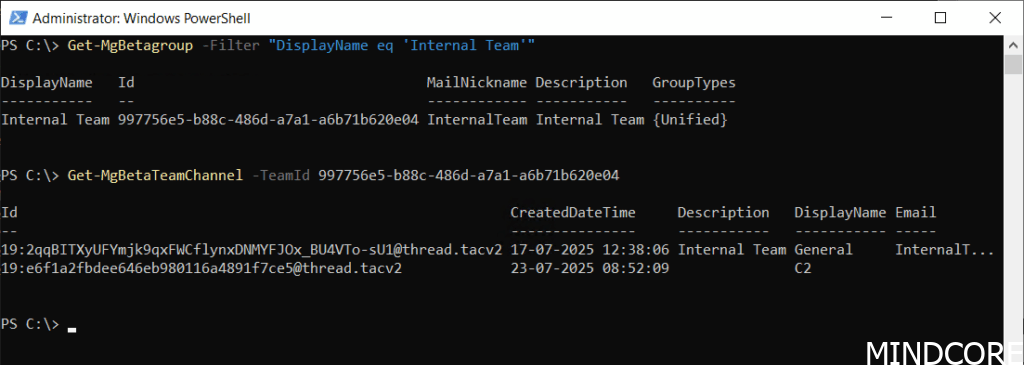
To get the email address for a channel.
The Get-MgBetaTeamChannel cmdlet returns the primary SMTP address of the Microsoft 365 group for the General channel, not the Teams-generated email ending with “teams.ms”, so use with caution.
Get-MgBetaTeamChannel -TeamId teamID -ChannelID channelID | select email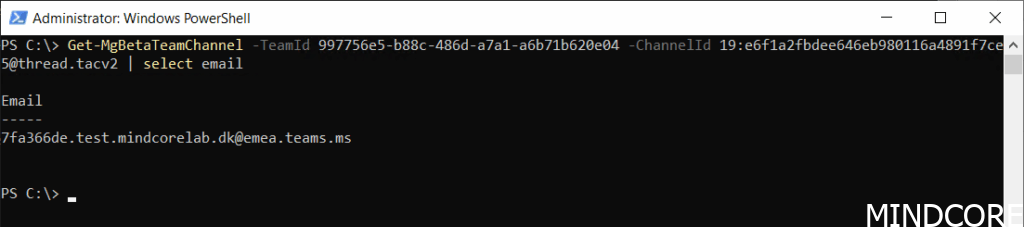
If a channel lacks an email address, we can generate one.
New-MgbetaTeamChannelEmail -TeamId TeamID -ChannelId ChannelID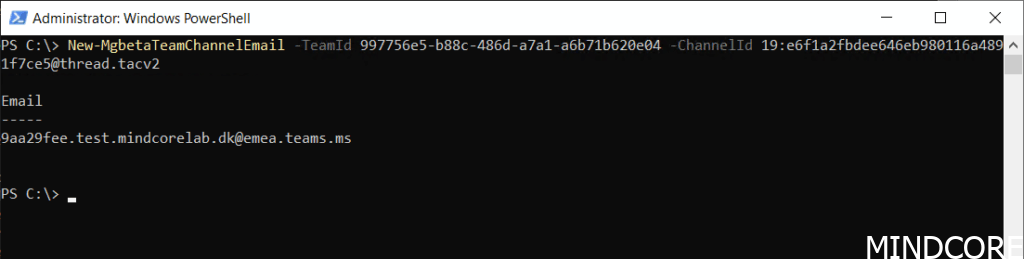
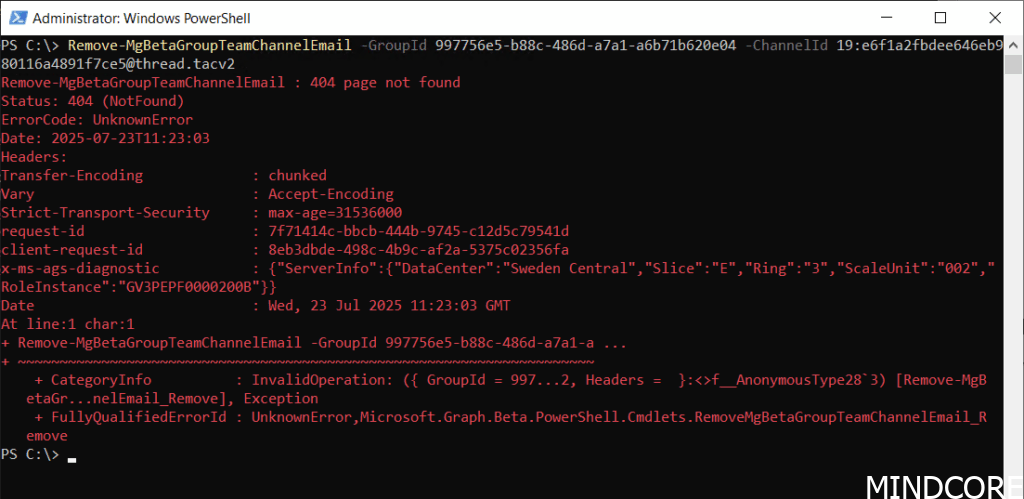
We can also remove a channel email from a channel.
Remove-MgBetaGroupTeamChannelEmail -GroupId GroupID -ChannelId ChannelIDBut at the time of writing it fails in our tests.
If there is a method to obtain the email address of the general channel using PowerShell, please share the information.
Various settings in SharePoint, Microsoft 365 Groups, and Teams can affect users’ experiences with Microsoft 365 and Teams. In our Governance workshops, the process begins with a governance data collector that gathers details about the current Microsoft 365 configuration and identifies areas where different approaches may be evaluated. For instance, the ability to send email to Teams channels is one such setting that is recorded.
The key governance concern with emailing Microsoft Teams channels is uncontrolled information flow, which can compromise security, compliance, and information management.
And now a short message in Danish
Hos Mindcore elsker vi at dele viden, men det er vores Danske kunder der rent faktisk gør dette arbejde muligt. Hvis du er interesseret i hvad vi kan tilbyde i forhold til Microsoft 365 Governance og sikkerhed, Azure ARC, Intune eller nogen af de andre områder vi har skrevet om her på bloggen, så kontakt os på info@mindcore.dk eller telefon 51 91 44 10.








