
Recently, I’ve assisted a customer with uplifting their security around Enterprise Applications. This is an area we see many of our customers struggle with as by default, Microsoft lets users register apps all by themselves. This leads to a sprawl of registered apps that may or may not still be active.
In this blog post I want to briefly discuss something I’ve seen be recommended by both Microsoft, and a few other folks in the community that in theory, boasts ‘finer control over access to critical resources’.
Unfortunately, in reality I have extremely mixed results as I’ll get into.
The proposed solution
While Conditional Access policies can apply to specific apps/service principals, it requires configuring individual policies or using the umbrella ‘All Cloud Apps’. This quickly leads to a sprawl of various policies and doesn’t scale well (remember: there’s a 195 policy limit).
What if we could instead filter for specific attributes? That’s where custom security attributes come in (which CA policies can use to filter on for targeting. On any given enterprise app, we can define attributes such as a Permission Risk Level between low-high based on the specific permissions that are assigned to the app. Or define policy requirements that determine whether this app requires the use of a compliant device or prompt for MFA. This is so much more scalable! Now it only takes a handful of CA policies to cover ALL the apps (as long as they’re tagged properly).
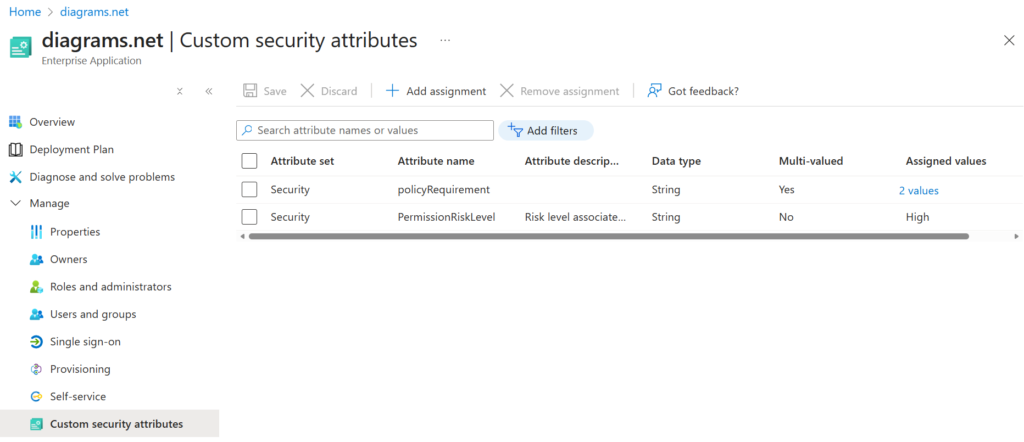
I won’t go into implementation details in this blog post as that’s been covered by others in detail already. My only recommendation here is to make sure to automate as much as possible. Have a system in place that applies these tags regularly to keep things synchronized – don’t rely on human error to keep this up-to-date.
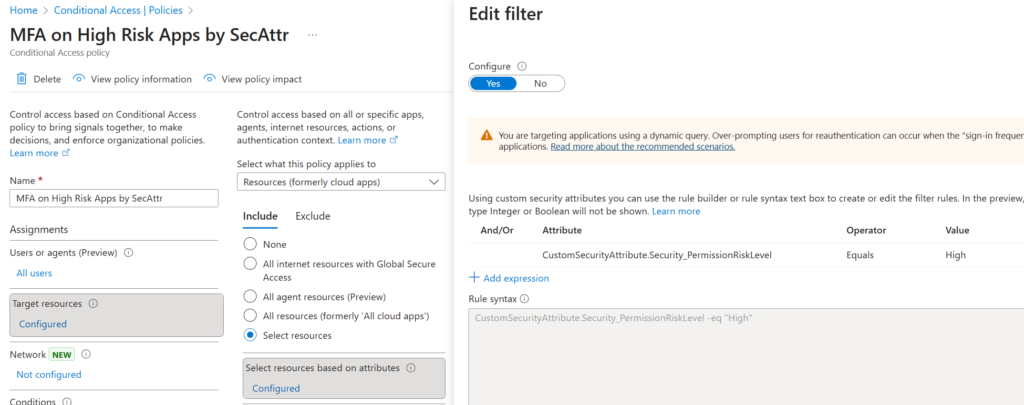
With the attributes in place, we can now define a CA policy which uses them to target specific resources like so:
Now time to test this out! I’ve configured two Enterprise Apps with a ‘High’ risk level tag:
Both of these make for easy testing so let’s try it with Graph Explorer:
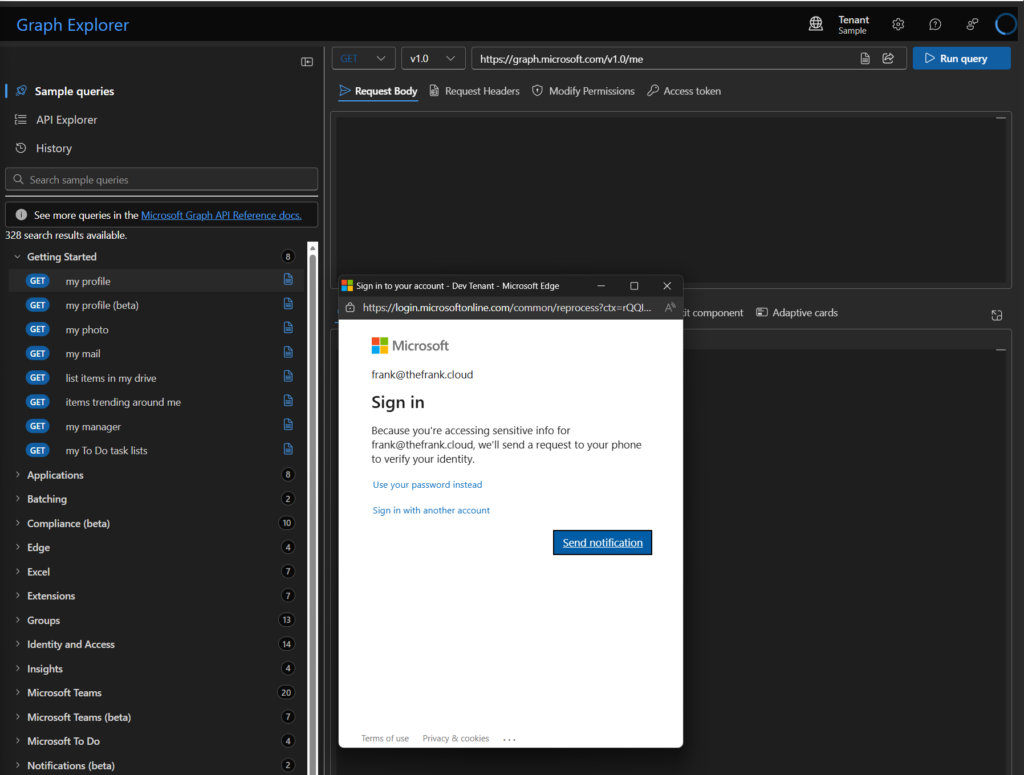
As expected, I’m prompted for MFA and we can confirm that in the sign-in logs too:
The CA policy is applying properly! Great!
However, let’s take a look at drawio.com and see if that has the same behavior:
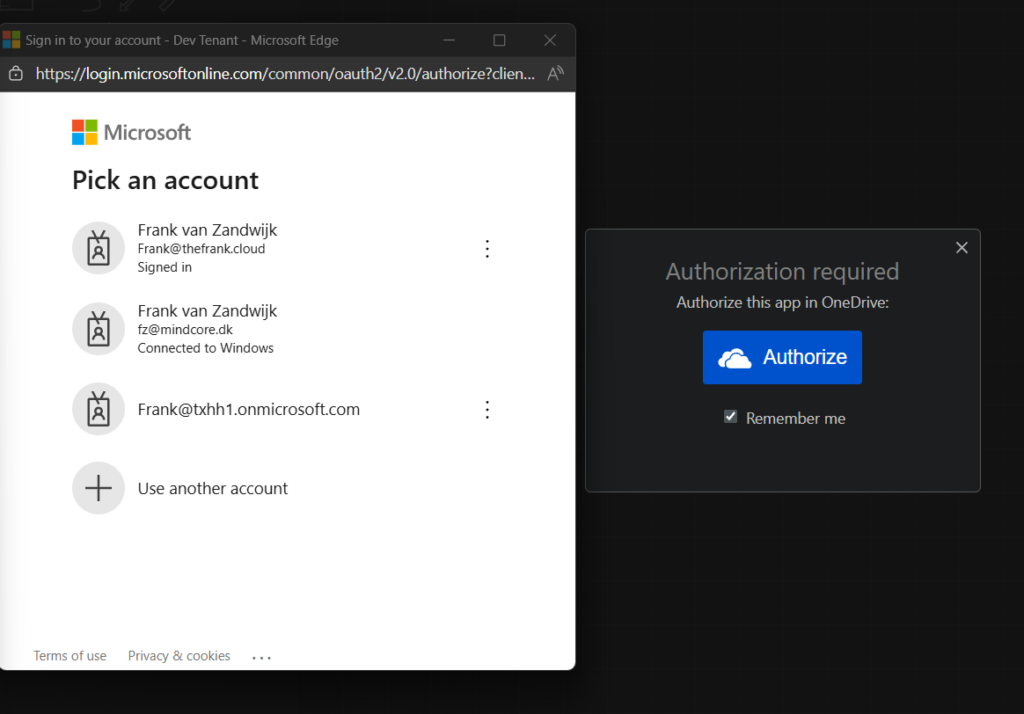
When I log in with this already signed-in account, I don’t get any reprompt for MFA despite the CA policy being in place for a sign-in frequency of ‘Every Time’ (which triggered correctly for Graph Explorer).
Let’s take a look at the sign-in logs to see what’s happening:
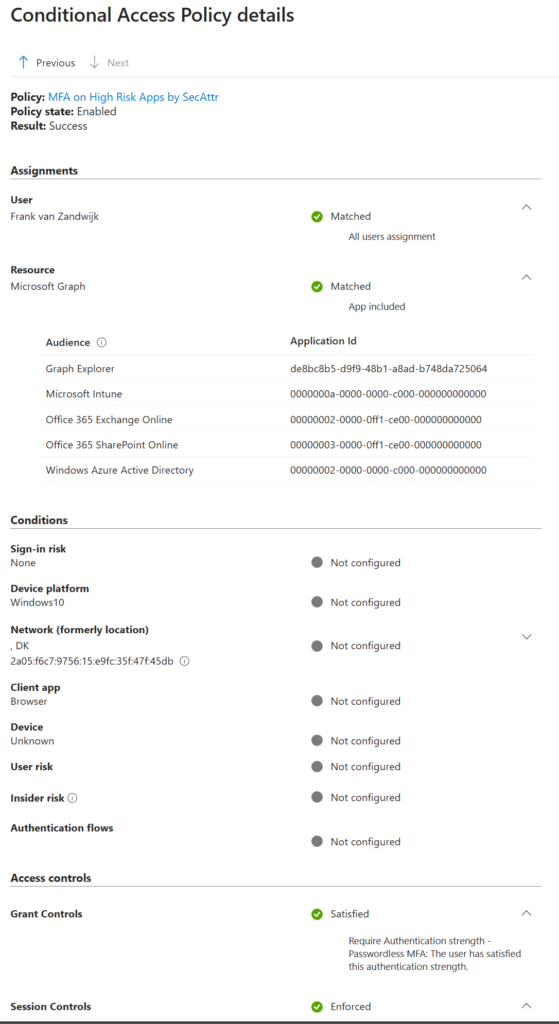
This looks correct, MFA is enforced correctly when authenticating to Graph Explorer.
However, looking at the Diagrams.net sign-in attempt it didn’t apply the CA policy correctly:
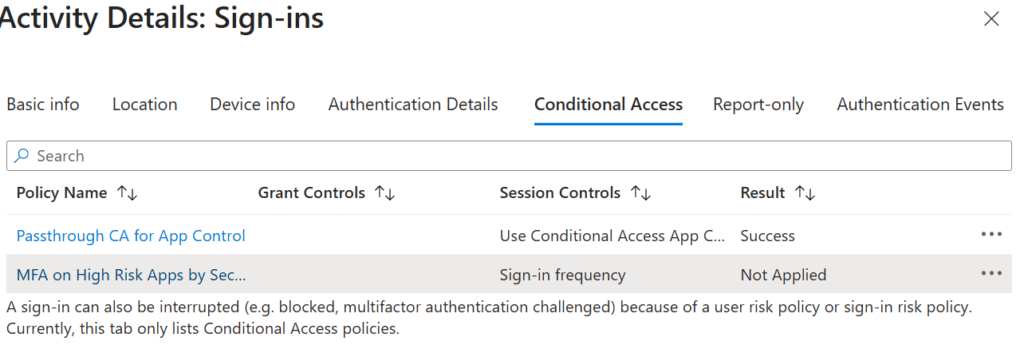
This is because the resource being targeted within the sign-in doesn’t appear to actually target the Diagrams.net Enterprise Application in the same way the Graph Explorer targets its own app:
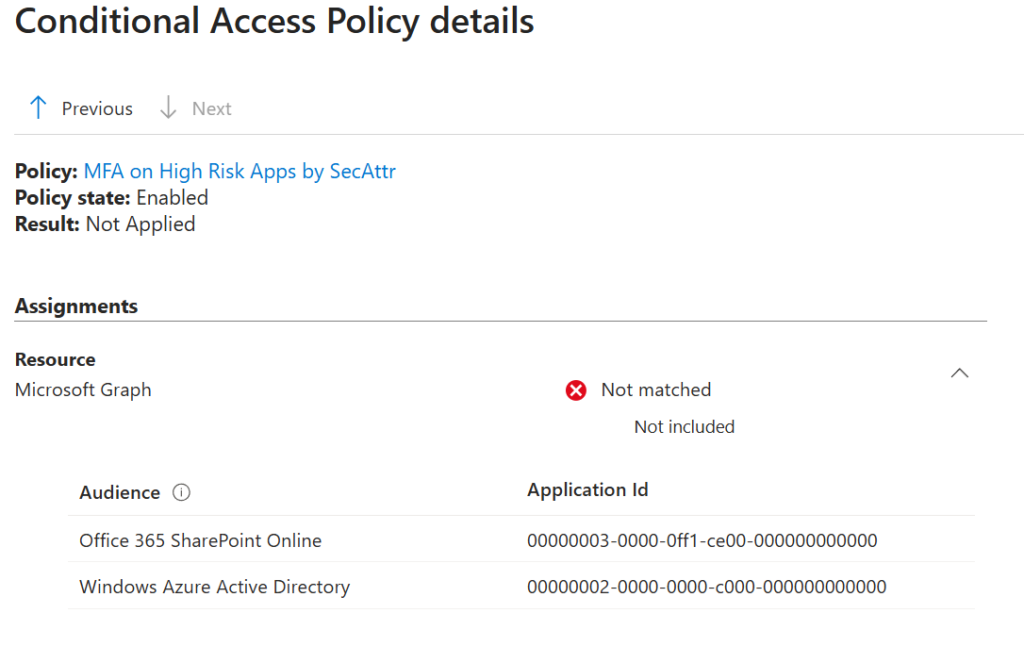
Note how in the above screenshot, the only audience registered here are Office 365 SharePoint Online and Windows Azure AD but not the expected Diagrams.net and its associated App ID.
I suspect this is a difference in how these apps behave when authenticating however, I’ve been unable to figure out exactly why this is so different. It’s unlikely to be something that can be ‘fixed’ from our end, and more likely requires involvement with app developers.
This just serves as a warning to properly test security setups like these since it’s easy to tag a bunch of apps and think you’ve added a layer of security when in reality, nothing of value has been done.








