
In March 2026, Entra ID will stop supporting service principal-less authentication behavior. This may affect certain applications currently running in your tenant.
Service principal-less apps may already be frozen since April 2025 if they weren’t actively used, but those apps that were, have remained uninterrupted until March next year. Microsoft will block authentication for multi-tenant apps that currently authenticate without an enterprise app registration in tenants. This has been a security concern for quite some time now and Microsoft is finally putting a plug in it.
To avoid interruption, you’ll need to create a service principal for the app and have the app use that to authenticate. This likely requires interactions with app teams for internally developed apps or reaching out to third-party app developers in due time to have them fix this.
Microsoft has provided guidance but has not provided a way to easily check for affected apps despite their documentation claiming otherwise.
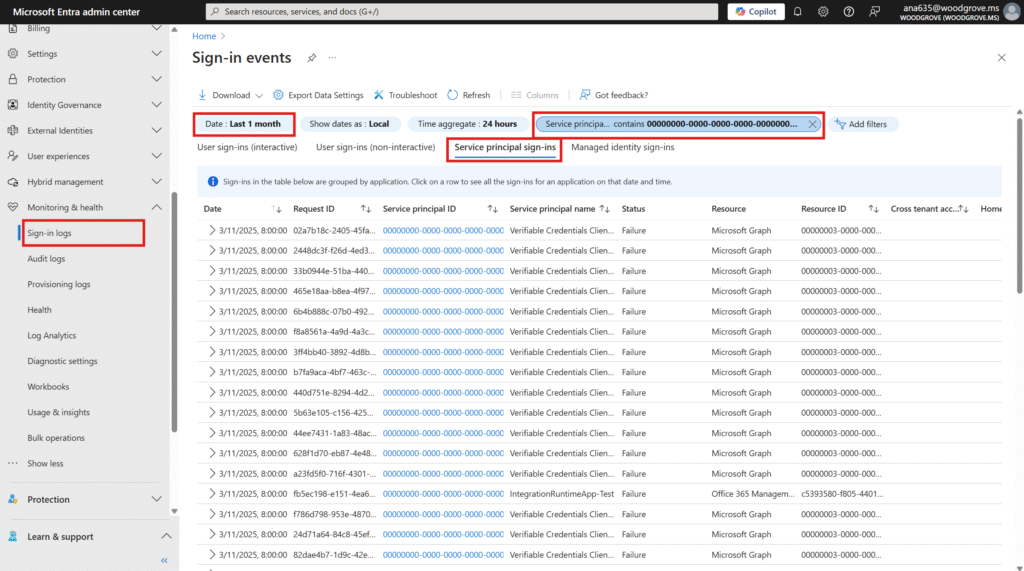
These are the filters available in my environment:
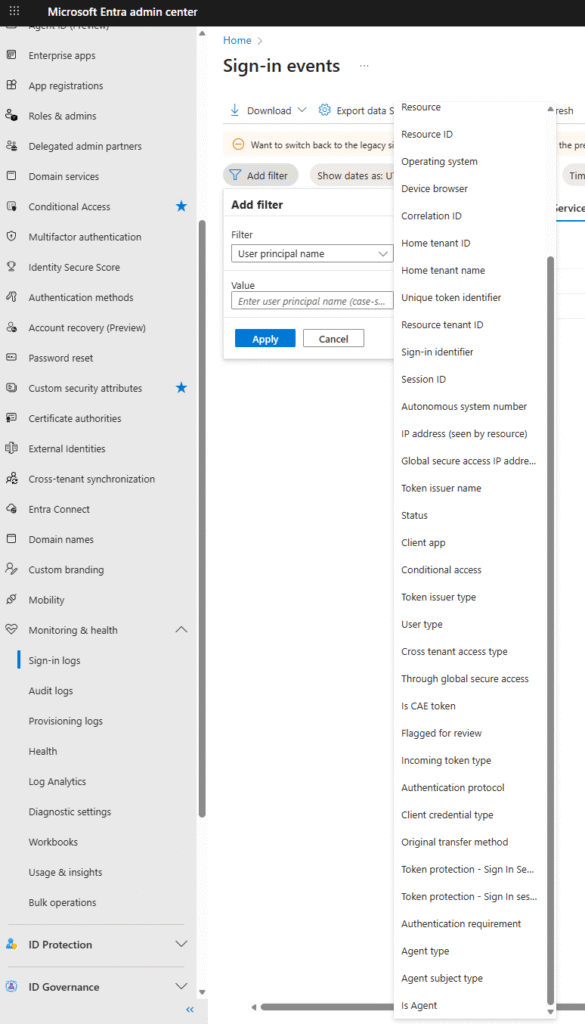
It unfortunately lacks ‘Service Principal ID’ despite being in the same place as the Microsoft documentation. It’s possible that it is because my tenant does not have any service principal less apps but I’ve not seen this filter option in a customer tenant that certainly did so your mileage may vary. Tony Redmond also didn’t find this filter from his blogpost back in April.
Graph API
This meant I needed to resort to filtering sign-in logs myself using Graph API:
$agoDays = 30 # Will filter the log for $agoDays from the current date and time.
$startDate = (Get-Date).AddDays( - ($agoDays)).ToString('yyyy-MM-dd') # Get filter start date.
# filter for service principal type logins from the start date and where the serviceprincipalid is blank
$Filter = "(signInEventTypes/any(t:t eq 'servicePrincipal')) and createdDateTime gt $((get-date($startDate) -format s) + 'Z') and serviceprincipalid eq '00000000-0000-0000-0000-000000000000'"
[array]$AuditRecords = Get-MgBetaAuditLogSignIn -Filter $Filter -Sort "createdDateTime DESC" -All
This will find any recent sign-ins in the past 30 days directly from the audit logs and filters for the field ‘serviceprincipalid’ being equal to 00000000-0000-0000-0000-000000000000.
I recommend running a report on a monthly basis up to March 2026 to find any affected apps and fix them by the end of March. This will likely include reaching out to App Owners both internal and external.
If they’re not fixed by March, you’ll at least know why sign-ins are failing!








