
Microsoft has announced that flex routing will be ON by default for a lot of EU tenants.
Flex routing lets customers in the European Union (EU) and the European Free Trade Association (EFTA) allow large language model (LLM) inferencing to occur outside the EU Data Boundary during periods of peak demand to help maintain a consistent Copilot experience. Inferencing is the processing step when an AI model executes the prompt to produce an output or response, such as summarizing content or answering a question.
This could be a problem for some EU customers, because Copilot during peak hours can process (infer) prompts outside the EU data boundary.
This will challenge GDPR, NIS2, public procurement requirements and organizations data locality promises, even though Microsoft still promises encryption and that “data at rest” remains in the EU.
Flex routing means that LLM inferencing for Copilot (the actual AI processing of prompt + context) might be moved outside the EU Data Boundary when there is capacity or performance challanges in the EU region.
This will be a problematic approach when we work with data in areas like:
- Public sector
- Critical infrastructure (NIS2)
- Health/Finance
- Municipalities and state authorities
Because it will typically break requirements like data processing must take place within the EU, no third country data transfer and critical systems must not depend on uncontrollable routing.
The recommendation is to disable flex routing whenever there is any uncertainty regarding its suitability.
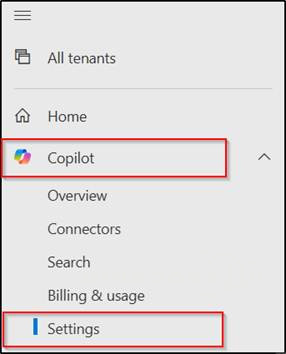
Let’s do it, go to https://admin.cloud.microsoft/ and select Copilot – Settings
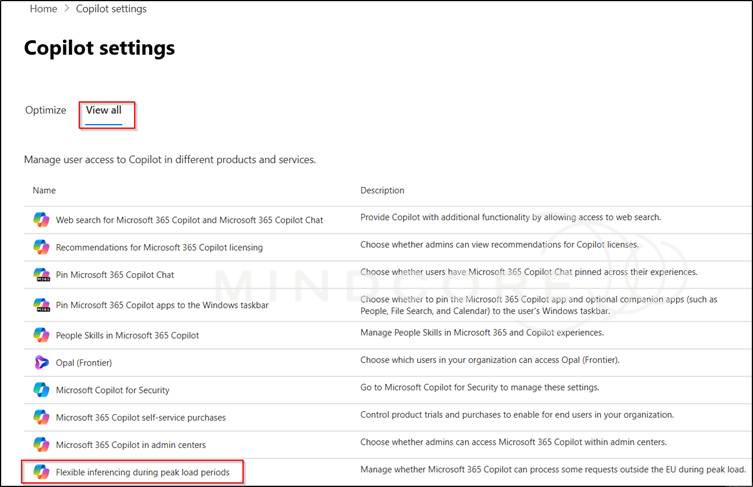
SelectView all – Flexible inferencing during peak load periods
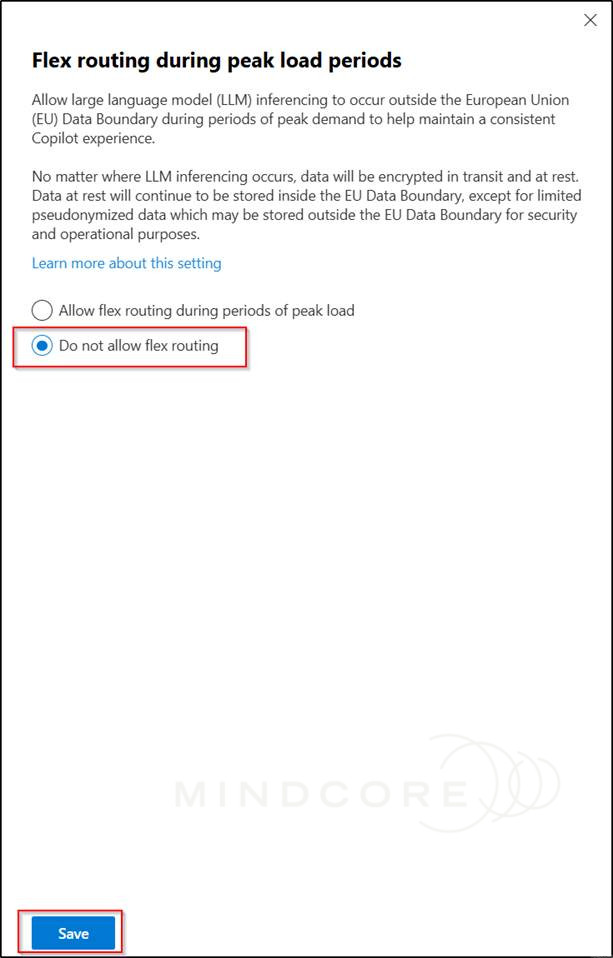
Select Do not allow flex routing and click Save.
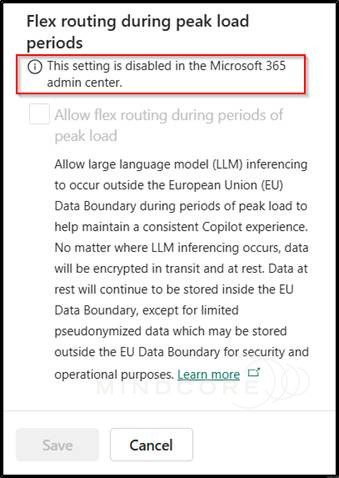
And flex routing is now disabled.
Flex routing will impact Microsoft 365 Copilot, Copilot Chat, Copilot in Dynamics 365 and Copilot in the Power Platform.
We also have this setting in the Power Platform admin center and it will honor the flex routing setting in the Microsoft 365 admin center.
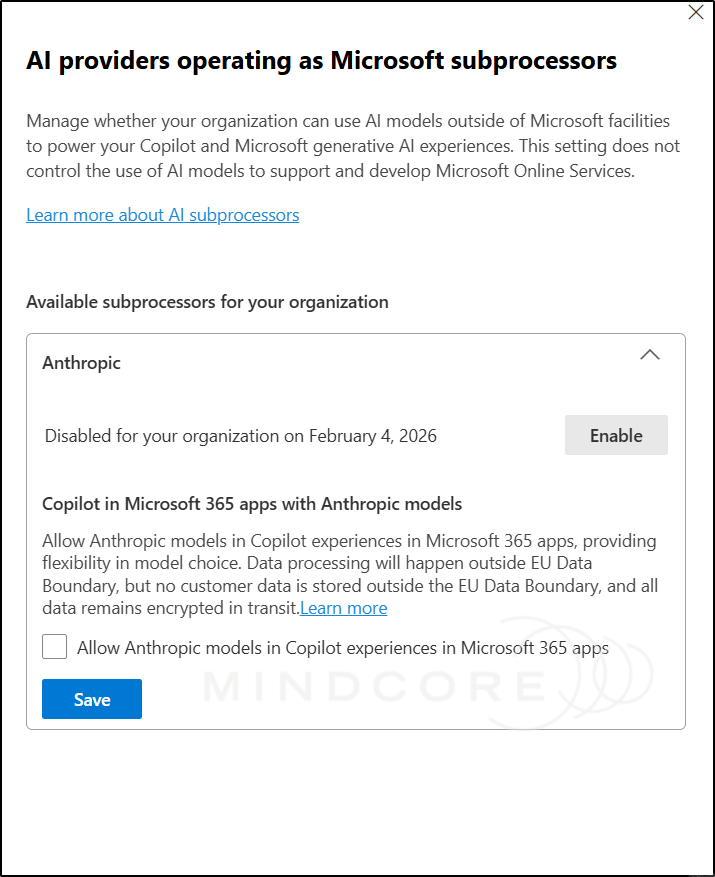
Please also check your Anthropic settings under AI providers operating as Microsoft subprocessors, because this also can send data outside EU.
It’s important to monitor where your data goes when you’re in the EU, so make sure to use the Message Center thoughtfully https://admin.cloud.microsoft/?#/MessageCenter.








