Introduction
Imagine this: a compromised password from a single account quietly makes its way into the hands of attackers. In minutes, what seems like a small leak can become a full-blown security incident. That’s why we built the new Password Protection experience in Microsoft Defender to help security and identity teams stop attacks before they happen.
What insights do you get?
In the Microsoft Defender portal, select Identities > Password protection.
The portal brings together everything you need in one place:
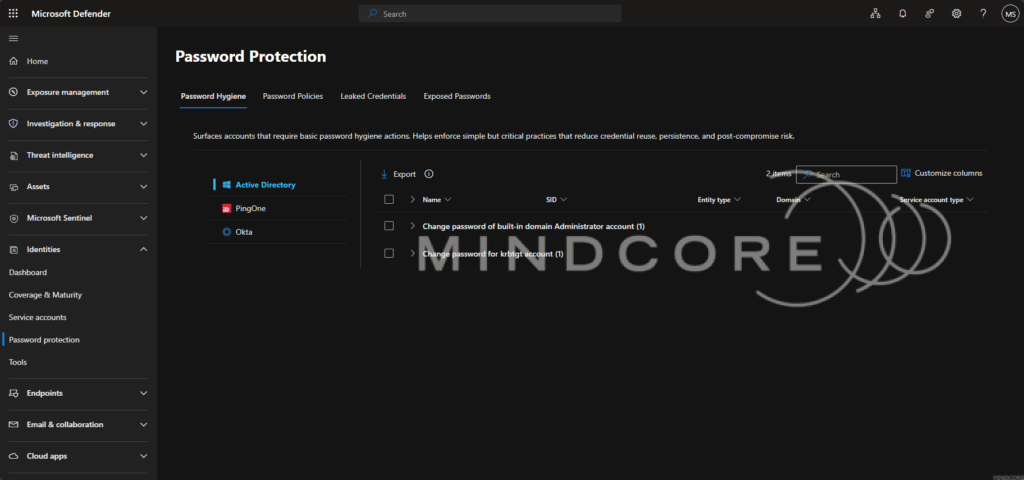
- Password Hygiene – Quickly see which accounts need basic hygiene actions. Enforcing these simple practices can drastically reduce credential reuse, persistence, and post-compromise risk.
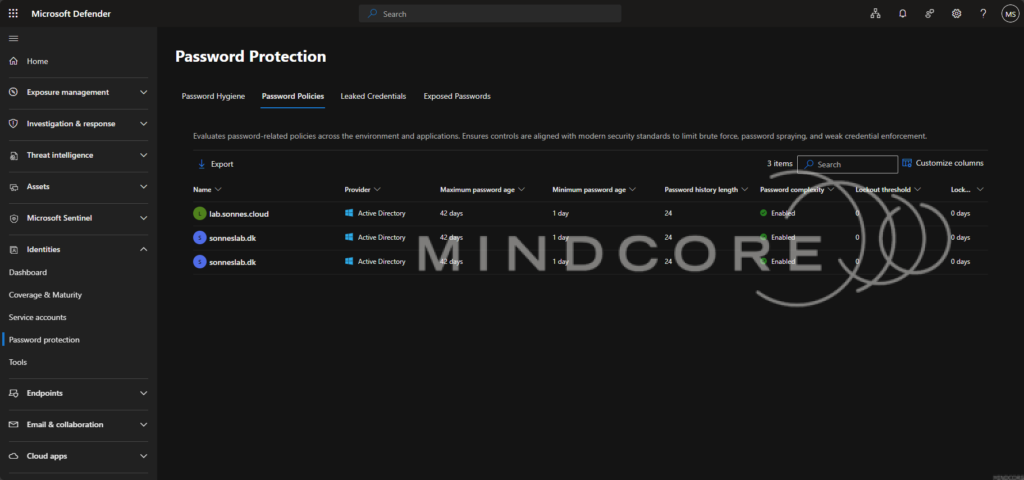
- Password Policies – Check that your password-related policies meet modern security standards. Strong policies limit brute force attacks, password spraying, and weak credentials that attackers love to exploit.
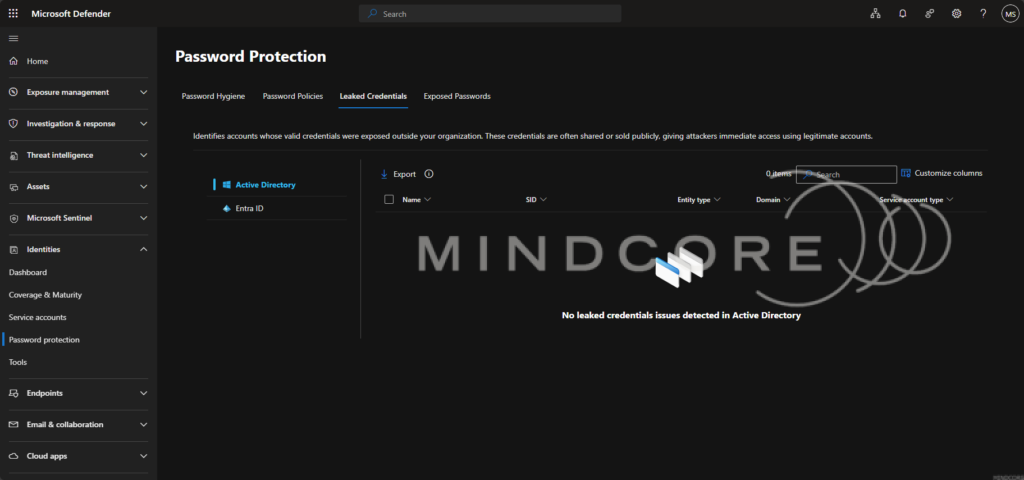
- Leaked Credentials – Spot accounts with credentials exposed outside your organization – covering both on-premises and Entra ID. These accounts are at immediate risk, and knowing where they are is key to stopping attackers in their tracks.
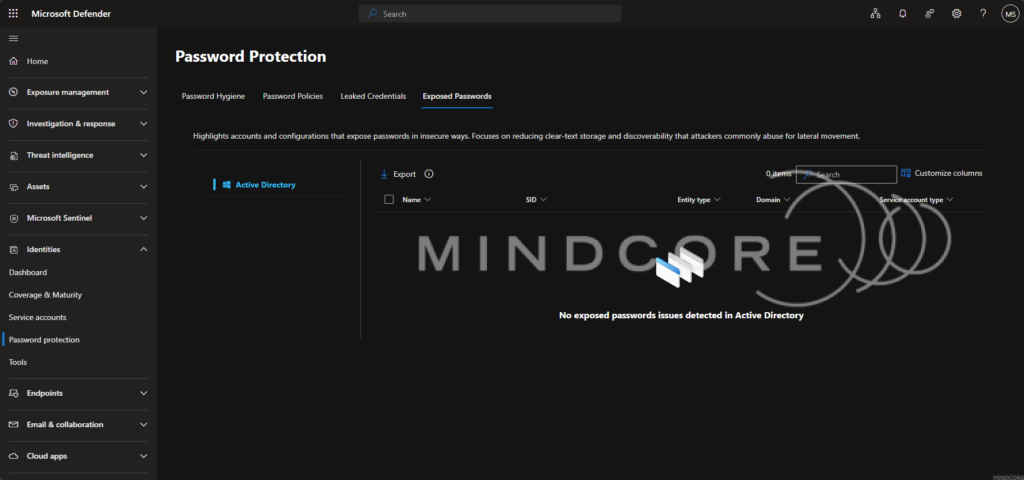
- Exposed Passwords – Identify accounts or configurations that store passwords insecurely. Reducing clear-text storage and discoverable credentials cuts off common pathways for lateral movement.
With this unified view, you can move from insight to action faster than ever resetting passwords, disabling risky accounts, and closing gaps without leaving Defender.
And here’s the exciting part: every tab in Defender is backed by real-time data and APIs. Organizations can pull these datasets directly via endpoints such as:
- Password Hygiene: https://security.microsoft.com/apiproxy/mdi/identity/userapiservice/pdProtection/reportDefinitions/PasswordHygiene
- Password Policies: https://security.microsoft.com/apiproxy/mdi/identity/userapiservice/pdProtection/domainsPolicies
- Leaked Credentials: https://security.microsoft.com/apiproxy/mdi/identity/userapiservice/pdProtection/reportDefinitions/LeakedCredentials
- Exposed Passwords: https://security.microsoft.com/apiproxy/mdi/identity/userapiservice/pdProtection/reportDefinitions/ExposedPasswords
Samle of what detected in Exposed Passwords (for now):
{ "ActiveDirectory": { "ExposedPasswordsInADAttributes": "Remove discoverable passwords in Active Directory account attributes", "GroupPolicyPasswordInPreferences": "Reversible passwords found in GPOs", "ExposedPasswords": "Stop clear text credentials exposure" } }
And all information on the identities is also possible to get!
https://security.microsoft.com/apiproxy/radius/api/radius/identities/accountsByUserId :
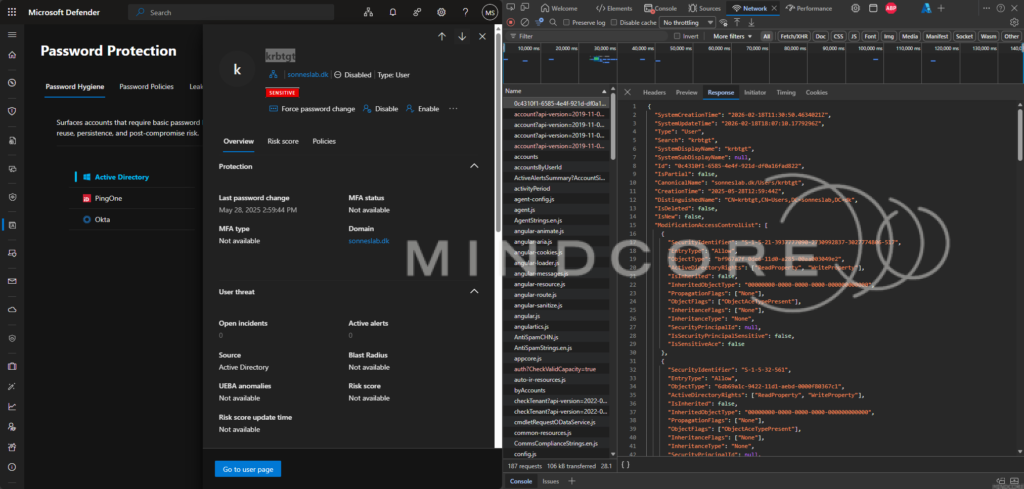
This means you can integrate Defender insights into your workflows, automate reporting, or feed data into dashboards, giving your team actionable intelligence wherever you need it.
Account information
The Password Hygiene, Leaked Credentials, and Exposed Passwords tabs show account-level data with the following columns:
| Column | Description |
|---|---|
| Name | The display name of the account. |
| SID | The Security Identifier of the account. |
| Entity type | The type of entity (for example, User or Computer). |
| Domain | The Active Directory domain the account belongs to. |
| Service account type | The type of service account, if applicable. |
Policy information
The Password Policies tab shows a different set of columns:
| Column | Description |
|---|---|
| Name | The name of the password policy. |
| Provider | The identity provider that enforces the policy. |
| Maximum password age | The maximum number of days before a password must be changed. |
| Minimum password age | The minimum number of days before a password can be changed. |
| Password history length | The number of previous passwords that can’t be reused. |
| Password complexity | Whether password complexity requirements are enabled. |
| Lockout threshold | The number of failed sign-in attempts before the account is locked. |
| Lockout duration | The duration of the account lockout after the threshold is reached. |
With this unified, data-driven view, you can move from insight to action faster than ever—resetting passwords, disabling risky accounts, and closing gaps without leaving Defender.
Because every password matters – and the right tools make all the difference
Conclusion
Passwords are still one of the most common ways attackers gain access – and every weak, reused, or exposed credential increases your risk. The new Password Protection experience in Microsoft Defender gives security and identity teams a unified, actionable, and data-driven view of password risks across on-premises and Entra ID accounts.
By combining insights from password hygiene, policies, leaked credentials, and exposed passwords – all backed by real-time data and APIs, you can move quickly from detection to remediation. Whether it’s resetting risky passwords, enforcing stronger policies, or identifying exposed accounts, the right tools make all the difference in preventing identity-based attacks.
References
Accounts security posture assessment – Microsoft Defender for Identity | Microsoft Learn
What’s new – Microsoft Defender for Identity | Microsoft Learn