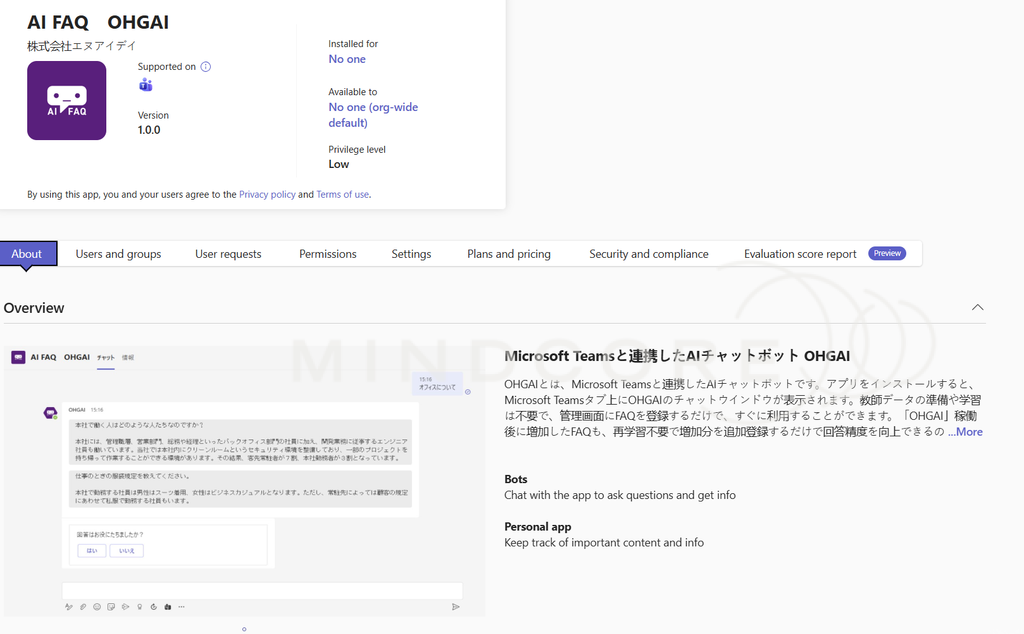
We used to be able to manage M365 Apps from both the M365 Admin Center (MAC) and the Teams Admin Center (TAC). This could (and in my experience, definitely has) led to conflicting policies being applied.
To combat this, Microsoft decided to unify this experience: Unified agent and app availability management across Microsoft 365 and Teams Admin Centers – Microsoft Teams | Microsoft Learn
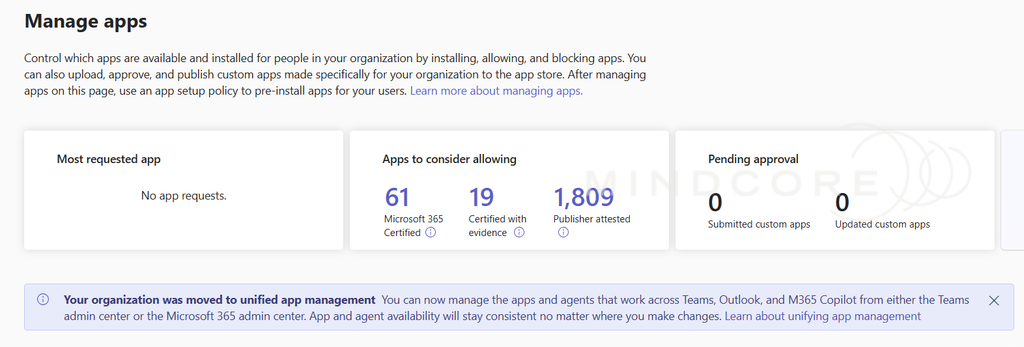
Depending on your tenant configuration, Microsoft has already made this change for you as shown in this screenshot from the TAC of a tenant that did not have any conflicting policies:
However, if Microsoft detected conflicting policies, it’s unable to make this transition for you and requires an administrator to perform the migration manually:

You’ll be able to do so from the TAC under ‘Teams apps’ > ‘Manage apps’
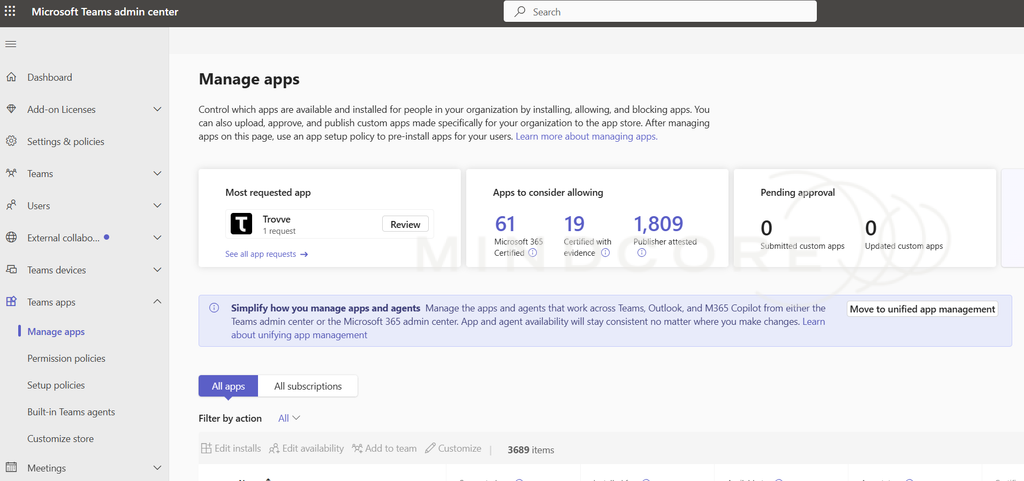
Clicking on ‘Move to unified app management’ opens up a wizard as follows to guide you on aligning the settings across M365 and Teams admin centers:
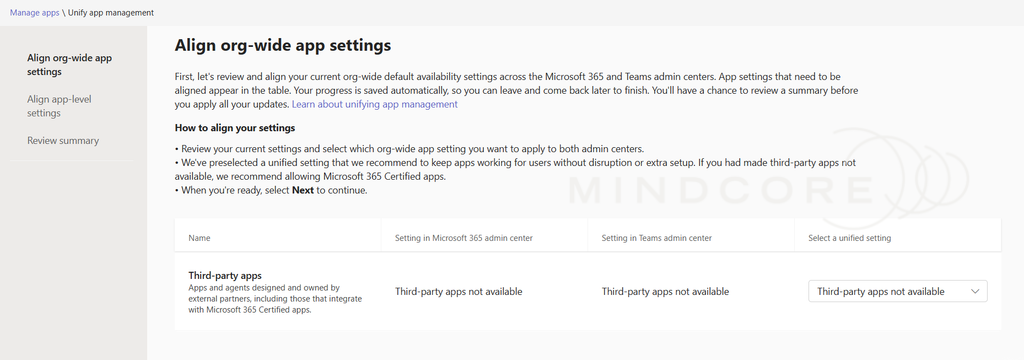
In the above example, we highly recommend considering choosing to block all third-party apps at an org-wide level, but do so with caution as this is not the default setting. Perform a usage report on third-party apps first to identify apps currently used so you can allow those.
Next, individual app-level settings need to be reviewed if Microsoft detected conflicts. You may also choose to use their recommended settings.
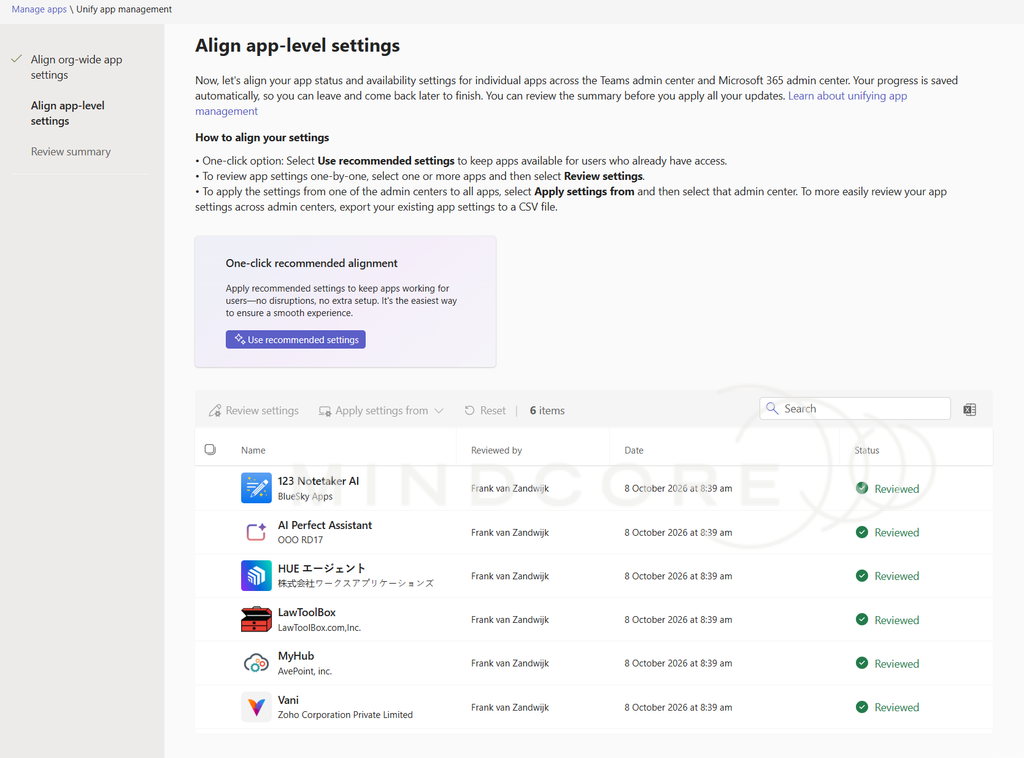
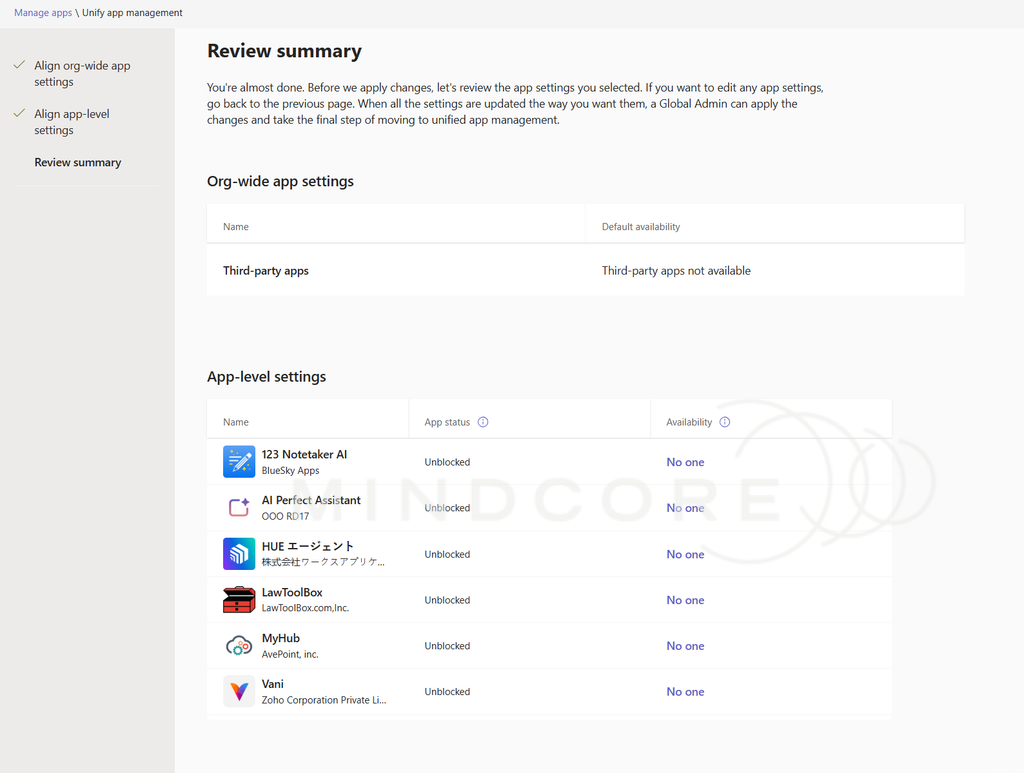
Once you’re done, review the summary and click apply. This can take some time (I’ve seen upwards of 24 hours).
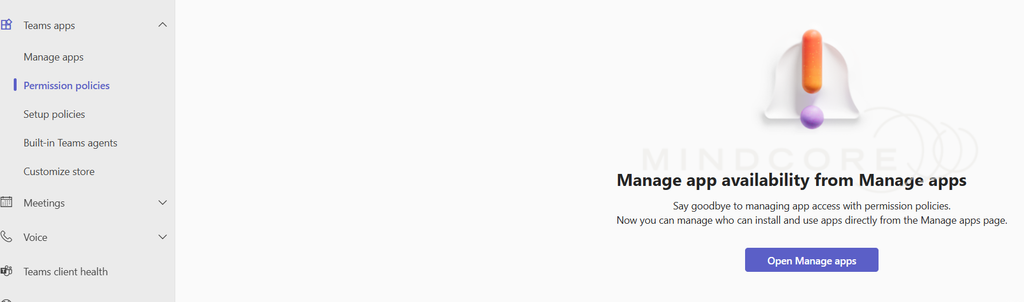
After that’s done, you won’t be able to see permissions policies any longer which instead redirects you to the unified app management:
Curiously, nowadays I’ve not been able to find any references to these M365 Apps within the M365 Admin center any longer, even for tenants that aren’t on the unified app management yet. Instead the apps overview now shows some type of opt-in preview app governance feature that seems to be aimed at Copilot:
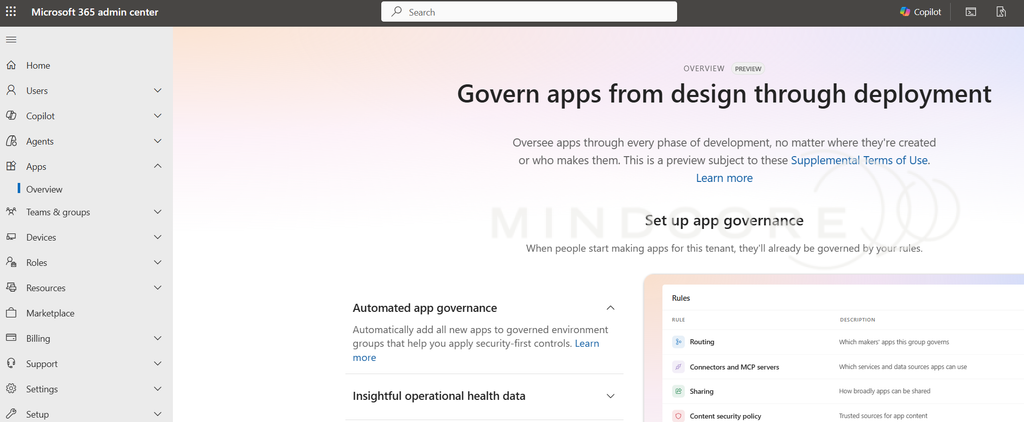
Interestingly, I can no longer find the original M365 Apps management experience in the Microsoft 365 Admin Center, even in tenants that have not yet completed the migration. Instead, the Apps section now appears to focus on opt-in preview app governance capabilities and Copilot-related functionality.
For now, Microsoft seems to be positioning the Teams Admin Center as the primary management interface for these applications, despite many of them having implications beyond Teams itself which is certainly an interesting design choice…
Next blog post I’ll show how to block third-party apps, which is definitely something I’ll recommend doing considering Microsoft does a poor job of vetting the 3680+ apps available to users by default, many of which sporting dubious AI agent-like functionality: