With the deprecation of Exchange Web Services (EWS) getting closer, something that flew past my radar is that it also affects how Calendar sharing, Free/Busy information, and MailTips work between M365 tenants. The existing Exchange Organization Relationships and Sharing Policies rely on EWS, so Microsoft is replacing them with Microsoft 365 Cross-Tenant Access Policies.
The official announcement is Message Center post MC1446796.
To replace this functionality, Microsoft has introduced Microsoft 365 Cross-Tenant Access Policies. These extend the existing Entra cross-tenant access model with authorization controls for M365 workloads. Calendar sharing and MailTips are the immediately interesting ones for this migration, but the M365 policy model actually goes further. The API also exposes controls for things such as profile cards, Places, and mailbox migrations.
Unfortunately, none of this appears to be exposed through the Entra portal yet. Let’s dust off our Graph API hats and start digging around!
New Cross-tenant Access Policy Configurations
When we run the following Get command (with $PartnerTenantID being a tenant ID of the partner you have already configured within External Identities or you can check the Tenant Defaults):
Get-MgPolicyCrossTenantAccessPolicyPartner -CrossTenantAccessPolicyConfigurationPartnerTenantId $PartnerTenantIdNote: these cmdlets are already available in the non-beta Graph modules.
If we start poking around the object’s properties using gm, we can see some of the new configuration available to us:
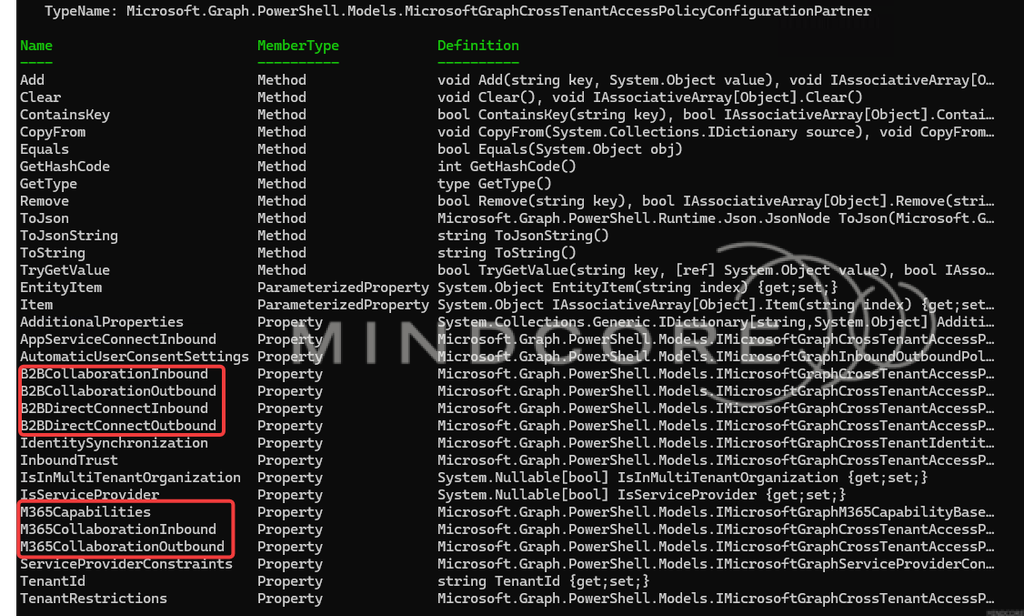
The B2B Collaboration and Direct Connect inbound/outbound properties listed here are the same ones exposed through the Entra ID portal:
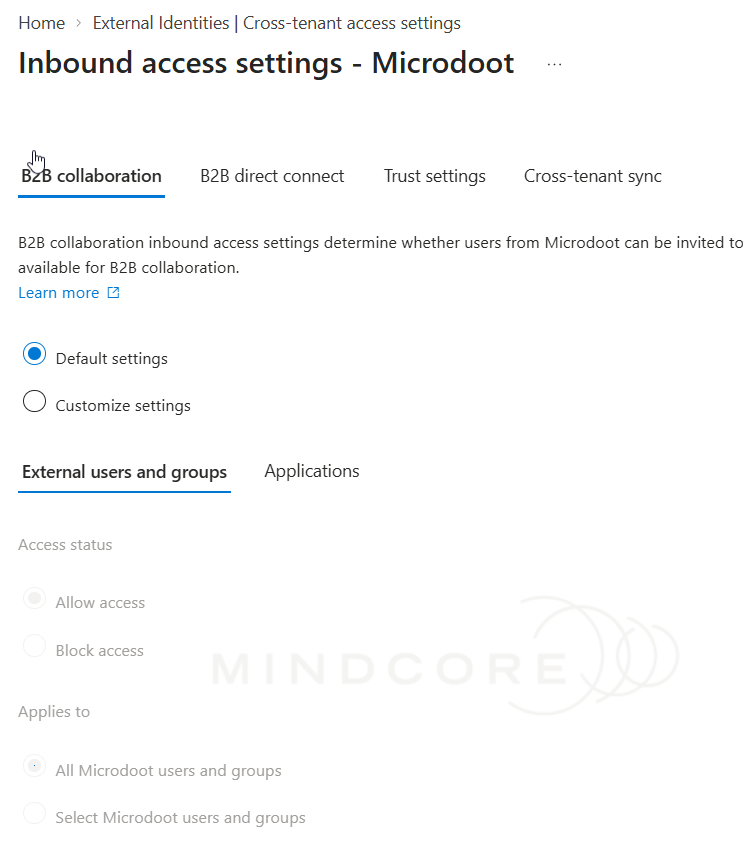
What’s missing in the UI are options for the new M365 Collaboration inbound/outbound policies. Those support features such as Calendar sharing (Free/Busy) and Mailtips which we can see in this screenshot:

Just like the existing Entra cross-tenant access model, M365 Collaboration uses two policy levels. A tenant-wide default provides the baseline for external organizations, while individual partner tenants can be configured to override that default with more or less restrictive settings.
By default, M365 Collaboration in the two tenants I’ve checked has a tenant-level default policy that blocks all inbound and allows all outbound. This means that you are allowing all your users to reach into any other tenant to retrieve Calendar Free/Busy details or Mailtips as long as that tenant has adjusted their inbound policy. The same goes for external tenants attempting to retrieve information from your users: it’s blocked by default unless you’ve either changed the tenant-level default or partner-tenant specific inbound policy.
One of the main benefits is more granular control over what you share. You can scope the configuration to specific groups of users, limiting which users the external organization can retrieve information about by either including specific groups OR including everyone and excluding specific groups. It also simplifies calendar sharing by automatically covering all registered domains in the partner tenant, removing the need to manually maintain individual domains in Exchange if, for example, the partner adds a new domain or goes through a rebranding (something I just ran into at one of our customers).
Migrating policies
So now you know where to look but you probably have existing Exchange Sharing policies (either the defaults or customized for specific partner domains). Microsoft has you covered and documented how to do this in the following Learn article so I won’t cover all those steps again in this blogpost:
Unfortunately, Microsoft has not rolled out any sort of UI to easily manage these policies meaning that you have to dig around with Graph. The Learn article provides a script that checks your Exchange configuration and generates the required commands to configure your cross-tenant access policies to get the same effect.
There are also limitations for hybrid Exchange environments. Microsoft’s current documentation lists hybrid support as planned, so definitely check the documented limitations before replacing existing Exchange sharing configurations in a hybrid environment.
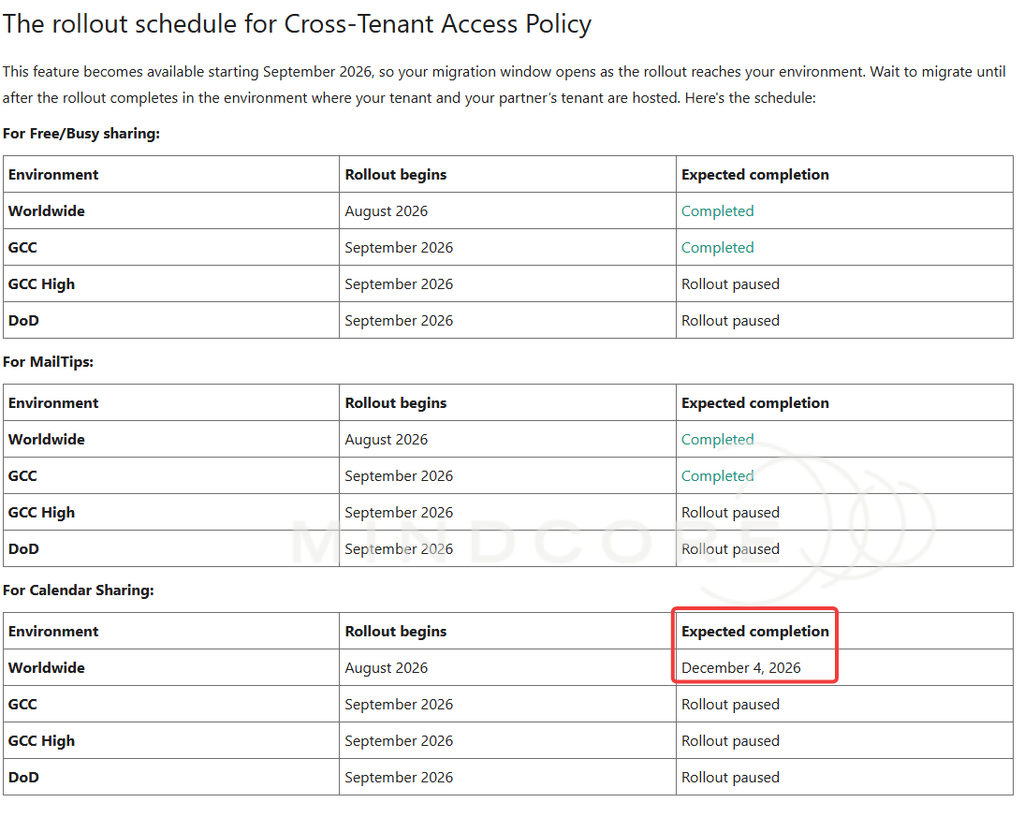
Do keep in mind that according to Microsoft’s own blog post, not all features are fully rolled out yet:
No UI? No Problem
However, you still don’t have a nice way to get a good overview of all the policies or to easily make changes/adjustments. This is where I spent a day building a handy PowerShell TUI:
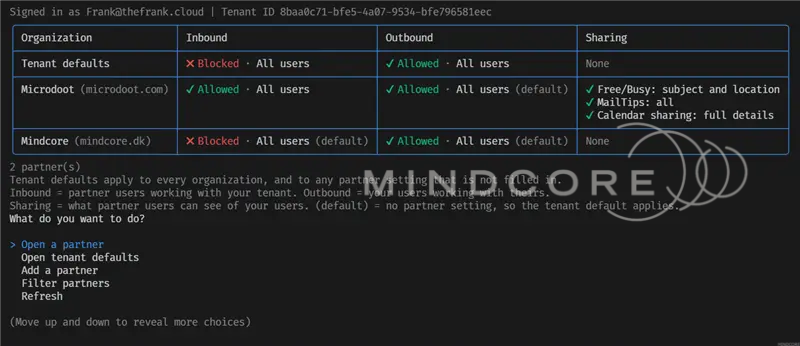
This lets me easily and quickly configure exactly what level of sharing I’d like to allow and to which partner tenants and groups:

This includes being able to adjust the Tenant Defaults to allow for anonymous publishing.
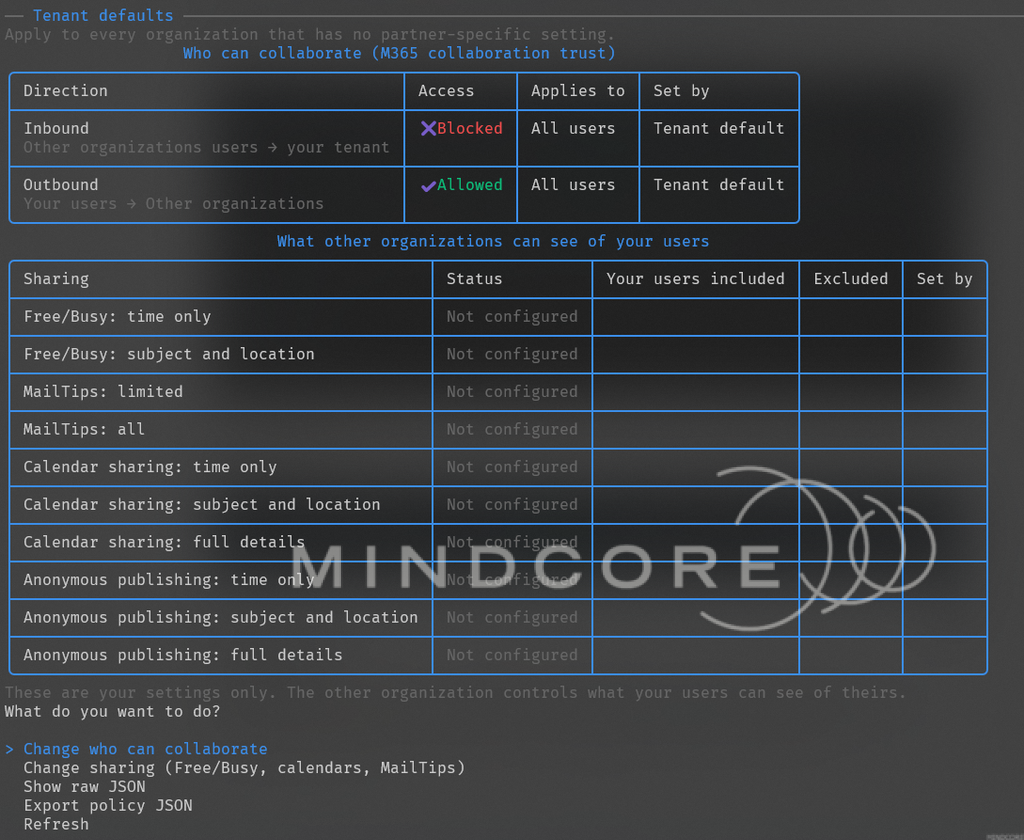
It also lets you export the policies in their JSON format so you can store them and use them for future reference.
If you’re interested in this tool, reach out! It’s in early stages of development right now and not ready for public consumption quite yet.
Conclusion
Overall, I think these are good additions and a much better long-term replacement for the old Exchange Organization Relationships and Sharing Policies. The tenant-based model and ability to scope individual capabilities to specific groups gives administrators considerably more control over cross-tenant sharing.
It’s just unfortunate to see the functionality rolling out without any UI to actually manage it. I’m sure Microsoft is working on that, and I fully expect a new M365 Collaboration tab to eventually pop up under Entra ID Cross-tenant access policies and make my lovingly constructed PowerShell TUI obsolete.
Until then, Graph it is.