Mindcore Techblog

Let’s talk about Client Management, Security and IT Infrastructure

ADMX files

This is an updated version of one of our very old articles ADMX files available Also take a look at this post about How to create and manage the Central Store for Group Policy Administrative Templates in Windows And now we are talking policies – I would like to recommend
Continue to read »

Edge based on Chromium has updated policy options

Microsoft has declared the Edge ready for enterprise testing, and by doing so we now have MSI installers and new ADMX files. I have previously written that I am impressed by this new browser, and this has not changed, I still think that Edge (Chromium) has potential to be the

Continue to read »

Azure AD and password-less sign-in

One of the interesting solutions a lot of us has been waiting for is now in public preview – password-less sign-in with Azure Active Directory (Azure AD). We have been able to use it with personal Microsoft accounts, but now we also can start testing with Azure AD accounts. So

Continue to read »

Entitlement Management

Intro As a security consultant I have been working for several companies over the years and have dealt with numerous issues surrounding Identity Management. One of the recurring challenges has always been granting the right amount of access for the right amount of time. Especially the latter part has been

Continue to read »

Edge Insider and group policy support

I have been using the Edge Insider (Chromium), for awhile and I am impressed. You can find the download here https://www.microsoftedgeinsider.com/en-us/download/, and not only for Windows 10 as shown here: We now also have a preview of an admx file (Policy settings). You can find the preview here https://techcommunity.microsoft.com/t5/Discussions/Early-preview-of-Microsoft-Edge-group-policies/m-p/693929/thread-id/5164 The

Continue to read »

Mindcore Tech and SSPR follow-up

Yesterday at our Mindcore Tech meeting, one of our test sceneries did not work as expected. We did not get the reset password option on the Windows 10 insider build. https://blog.mindcore.dk/2019/03/azure-ad-password-reset-on-login-screen.html The reason behind was “just” some missing configuration in the lab we build during the meeting In order to

Continue to read »

Connect Microsoft Store for Business with Intune

This time let’s try to connect Store for Business with Intune and deploy the Company Portal to all users. First thing to do is to register Store for Business, so sign in to https://businessstore.microsoft.com using the same tenant account you use to sign into Intune. Select Manage: Click Settings –

Continue to read »

Office 365 ProPlus and Proofing Tools

This is a quick post about a question I often get – How do we install extra Proofing tools together with Office 365 ProPlus? In the early days of Office 365 C2R we did not have the option to install individual Proofing tools with Office Deployment Tool (ODT). But if

Continue to read »

Azure AD Naming Policy in the portal

Back in March we wrote a post about using PowerShell to create Naming policies for Office 365 groups and teams. https://bit.ly/2W9hMlK Now this feature is available in the Azure portal. Go to Azure Active Directory and Groups: Naming Policy: Since we already added custom blocked words with PowerShell, we can

Continue to read »

Office 365 Message Encryption Templates

We are able to use multiple custom email templates in Office 365. This will allow us to use customized logos and text when sending encrypted emails. By default Office 365 will use the following layout when an external recipient receives an encrypted email:   Let’s try to change this, first

Continue to read »

Azure Portal Application

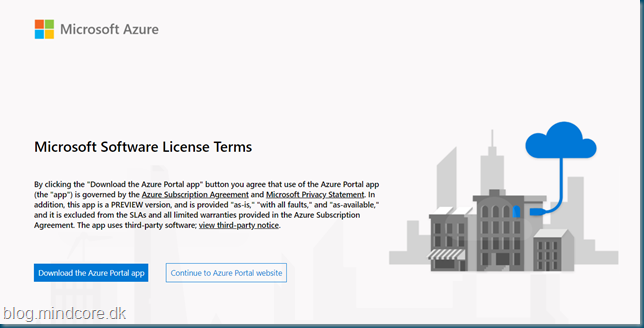
We now have an Azure portal application available on Windows, I haven’t found a lot of information but you can download the Application here: https://ms.portal.azure.com/App/Download It will install in your user profile in C:Users[user]AppDataLocalMicrosoftAzurePortalProduction At the time of writing the downloaded version is 1.0.18.0, but just a hour ago it

Continue to read »

Don’t miss out on news from your favorite Tech-bloggers!

Search blog posts
Search
Authors
Modern Workplace consultant and a Microsoft MVP in Enterprise Mobility.

Modern Workplace consultant and a Microsoft MVP in Windows and Devices.

Infrastructure architect with focus on Modern Workplace and Microsoft 365 security.

Cloud & security specialist with focus on Microsoft backend products and cloud technologies.

Cloud & security specialist with focus on Microsoft 365.

Cloud & Security Specialist, with a passion for all things Cybersecurity

Cloud and infrastructure security specialist with background in networking.

Infrastructure consultant with focus on cloud solutions in Office365 and Azure.

Modern workplace and infrastructure architect with a focus on Microsoft 365 and security.

follow us in feedly
Categories
  • Follow on SoMe