
Intro
AI, AI, AI… Yes, we’ve heard it over and over again. Get used to it! 🤣 If you work within one of these portals (Defender, Intune, Entra, Sentinel, Purview, you are the perfect candidate to continue reading.
My view might differ from others, I’m not easily sold or impressed. That’s why I stay critical about how and where I use AI.
But before we go any further, let’s ask ourselves: What do we actually need help with? Is there any tedious tasks that could be easier or even assignments you could solve with AI that wasn’t possible before?
Start by identifying 3–5 tasks you’d like to do better or faster, especially those you usually find tedious or boring. Use these as your baseline to test whether Security Copilot can help you with them.
Once we’ve tested it, we can begin building a business case. That will make it much easier to get internal buy-in within your organization.
Let’s get started.
Security Copilot blog overview:
1. Getting Started with Microsoft Security Copilot: A Practical Guide for Defender, Intune, Entra & More (This blog post)
2. RBAC in Microsoft Security Copilot: How to Set It Up and Why It Matters

What is Security Copilot?
Security Copilot provides a natural language model to interact with your Microsoft products such as Defender, Intune, Entra, Sentinel, Purview etc. The list here is far from complete, but we will look at the integrations in a bit. It can help you both as a standalone or the embedded version. Standalone means you will use the overall security copilot page whereas when you use embedded you will click a copilot icon inside the product page where you are using one of the above examples.
Here is a great overview of how the Security Copilot work
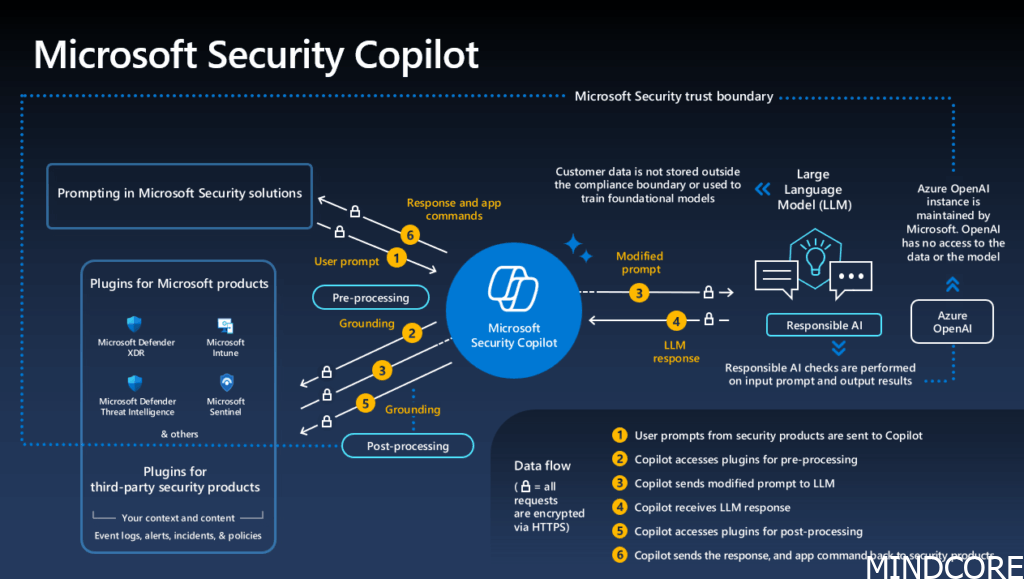
Picture borrowed from Microsoft
Requirements
- Azure Subscription
- Owner or contributor on the subscription.
- Security compute unit (will be provisioned for you)
Get started to setup security copilot
To begin using security copilot I suggest you use 1 SCU. This will be the cheapest model, and will easily cover the 3-5 examples you want to test out to become more clear on the business case. If for some reason you think it takes to long to get answers, you can scale up and scale down later on, but be aware that you will be charged by the hour.
If you came this far it means you are ready to start using Security Copilot. Visit this link: Microsoft Security Copilot
Note
Be aware that the user you use to create your instance become owner of it.
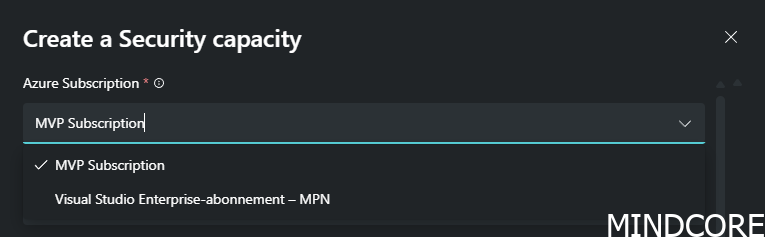
Choose your azure subscription
Create a new resource group (Your organisation should have a well defined naming structure for these names) Click OK
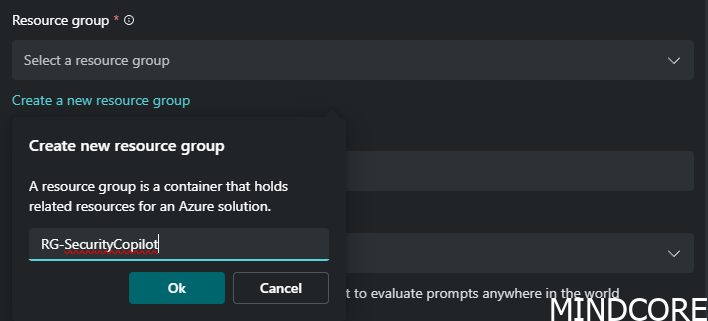
Give it a name. The name will be shown in the portal afterwards and can be hard to change.
Make sure you use lower case letters and no spaces.

Note
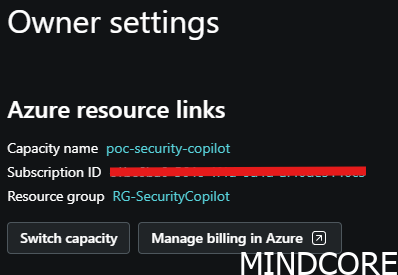
Capacity name will be shown in the Owner settings: (Picture from after it has been configured)
Add the location where you like the prompt evaluation to happen. If you like to keep your prompts in Europe, do not tick the mark where your prompt can be allowed to be evaluated in other regions.
Start with 1 compute unit.
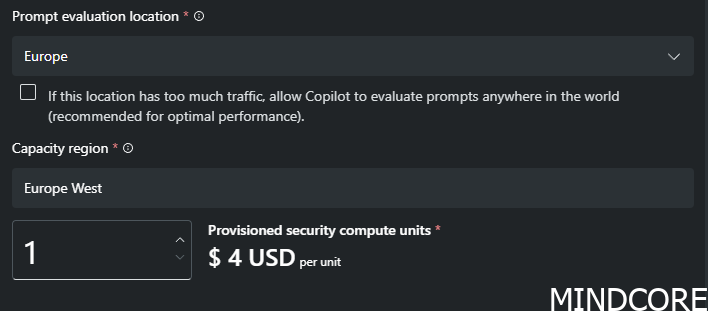
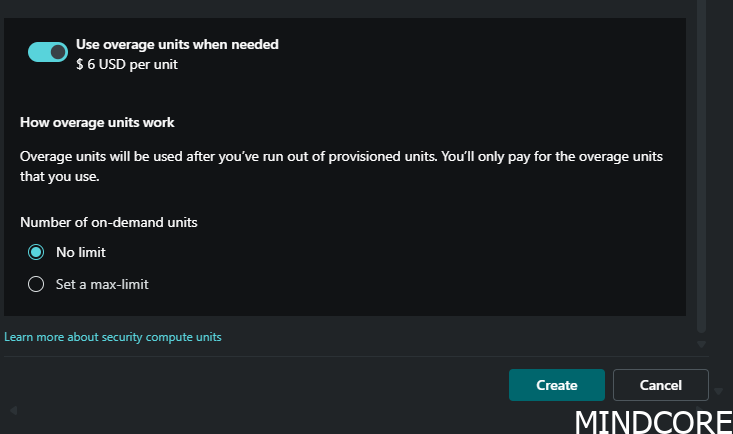
If you run out of compute power, overage units means once you’ve used up all your provisioned units, the system doesn’t stop working – instead, it starts counting overage units, which are extra units beyond your plan. If you don’t want that, I suggest you turn it off, but for production environment I would strongly recommend to keep it enabled, so the service doesn’t stop working in a critical moment.
Click Create
It will start to create your SCU
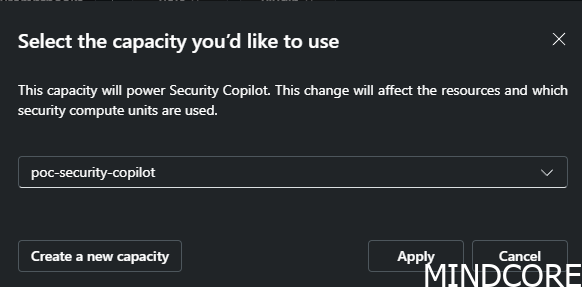
Choose you newly capacity and click apply
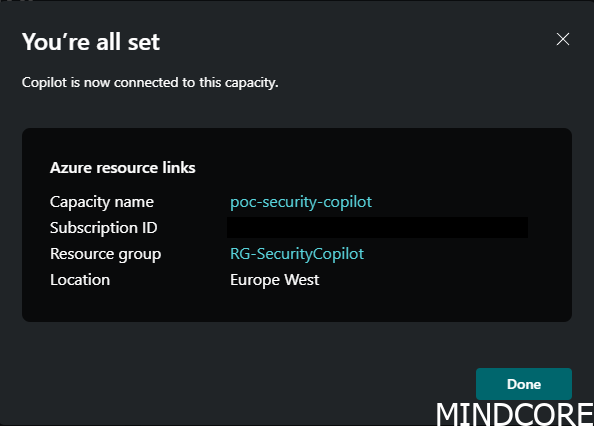
And finally you get an overview of your configuration completed
Summary
Congratulations, your security copilot is live and you can start prompt away in the portal.
If you just started your adventure with Security Copilot, I’d love to hear your thoughts on it and what you experience is and where you think it will bring value into your daily work. Connect with me on linkedin and share. Thanks!








