
In this deep dive into yet another Azure Arc extension, let’s see how we can get Entra ID logins to work with Linux SSH over Azure Arc!
Azure Arc blog overview:
1. Modern Server Management with Azure Arc – Remote Management Pt.1 (SSH/RDP)
2. Modern Server Management with Azure Arc – Remote Management Pt.2 (Security/Linux)
3. Modern Server Management – Entra ID based SSH Login on Linux with Azure Arc (This blog post)
4. Modern Server Management – Azure Arc RDP with Entra ID Authentication (coming soon)
5. Azure Arc VM Onboarding Pt.1 (coming soon)
In previous blogposts, you’ll have seen me use SSH connections a lot, especially for creating handy network tunnels for RDP! However, so far, I’ve been using a private SSH key stored in an Azure Key Vault in order to authenticate those SSH sessions. This requires maintenance as the public key needs to be added to each server I want to connect to and occasionally rotate it too. It’s also a single key potentially shared with multiple people in a team which isn’t great from an auditing perspective.
Instead, if we can use Entra ID accounts we gain many security benefits including:
- Using your Entra ID credentials to log in to Linux Arc Servers.
- Get SSH certificate-based authentication without needing to distribute SSH keys to users or provision SSH public keys on any Linux Arc Servers you deploy. This experience is much simpler than having to worry about sprawl of stale SSH public keys that could cause unauthorized access.
- Reduce reliance on local administrator accounts, credential theft, and weak credentials.
- Password complexity and password lifetime policies configured for Entra ID help secure Linux Arc Servers as well.
- With Azure role-based access control, specify who can login to an Arc Server as a regular user or with administrator privileges. When users join or leave your team, you can update the Azure RBAC policy for the Arc Server to grant access as appropriate. When employees leave your organization and their user account is disabled or removed from Azure AD, they no longer have access to your resources.
- With Conditional Access, configure policies to require multi-factor authentication and/or require client device you are using to SSH be a managed device (for example: compliant device) before you can SSH to Linux Arc Server.
Unfortunately, this functionality currently only works on Linux operating systems, despite Windows now also having a very similar OpenSSH based SSH implementation. I really hope Microsoft is working on a similar one for Windows.
Getting started
Supported Operating Systems
Find the most recent list here but as of the time of writing the following systems are supported:
| Distribution | Version |
|---|---|
| AlmaLinux | AlmaLinux 8, AlmaLinux 9 |
| Azure Linux (formerly known as Common Base Linux Mariner) | CBL-Mariner 2.0, Azure Linux 3.0 |
| Debian | Debian 9, Debian 10, Debian 11, Debian 12 |
| openSUSE | openSUSE Leap 42.3, openSUSE Leap 15.1 to 15.5, openSUSE Leap 15.6+ |
| Oracle | Oracle Linux 8, Oracle Linux 9 |
| RedHat Enterprise Linux (RHEL) | RHEL 7.4 to RHEL 7.9, RHEL 8.3+, RHEL 9.0+ |
| Rocky | Rocky 8, Rocky 9 |
| SUSE Linux Enterprise Server (SLES) | SLES 12, SLES 15.1 to 15.5, SLES 15.6+ |
| Ubuntu | Ubuntu 16.04 to Ubuntu 24.04 |
With a Linux machine already Arc onboarded, head over to extension and add the following one:
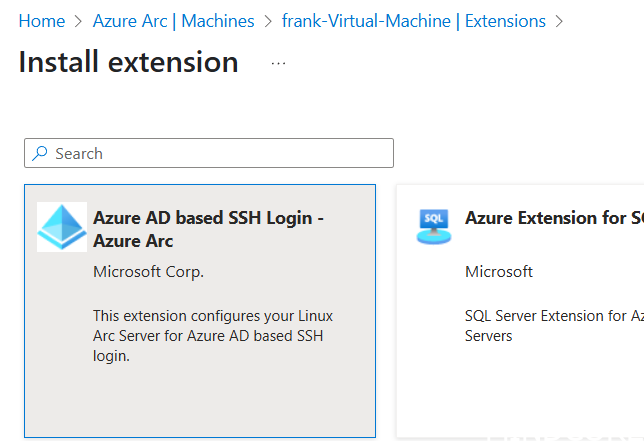
I’m sure Microsoft will get to renaming it to Entra ID at some point…
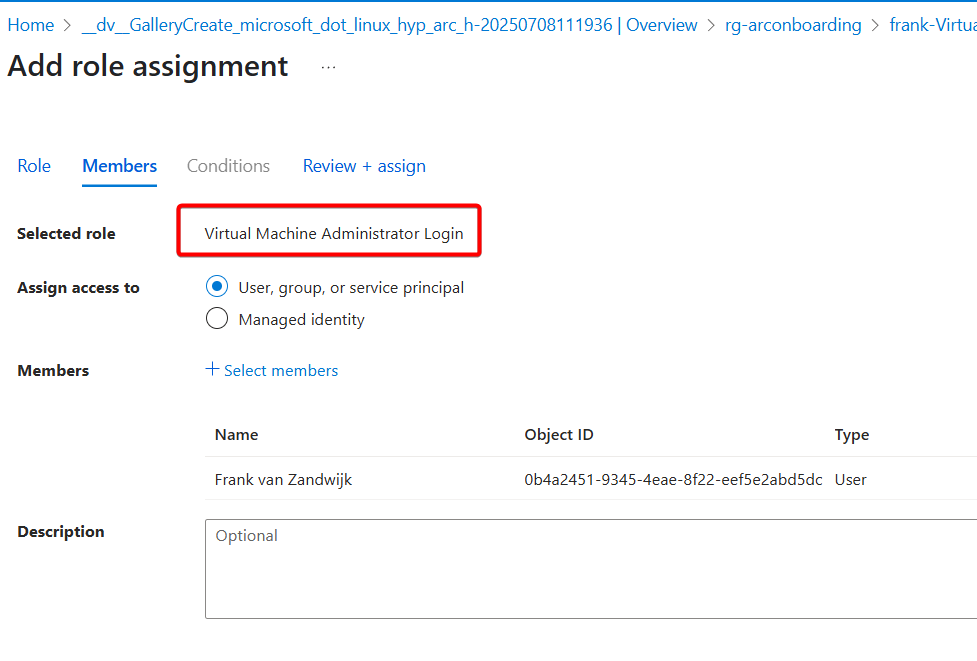
Before attempting to connect, grant appropriate access to the resource:
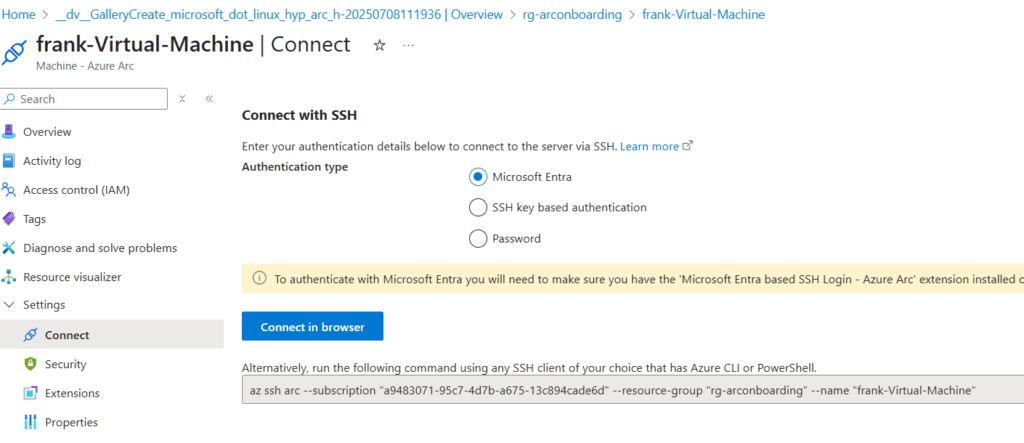
Next, on the Connect tab, there is an option to choose Microsoft Entra as an authentication type:
Now when connecting, I’m dropped directly into the shell of the machine, without requiring any further authentication or SSH keys to be configured:
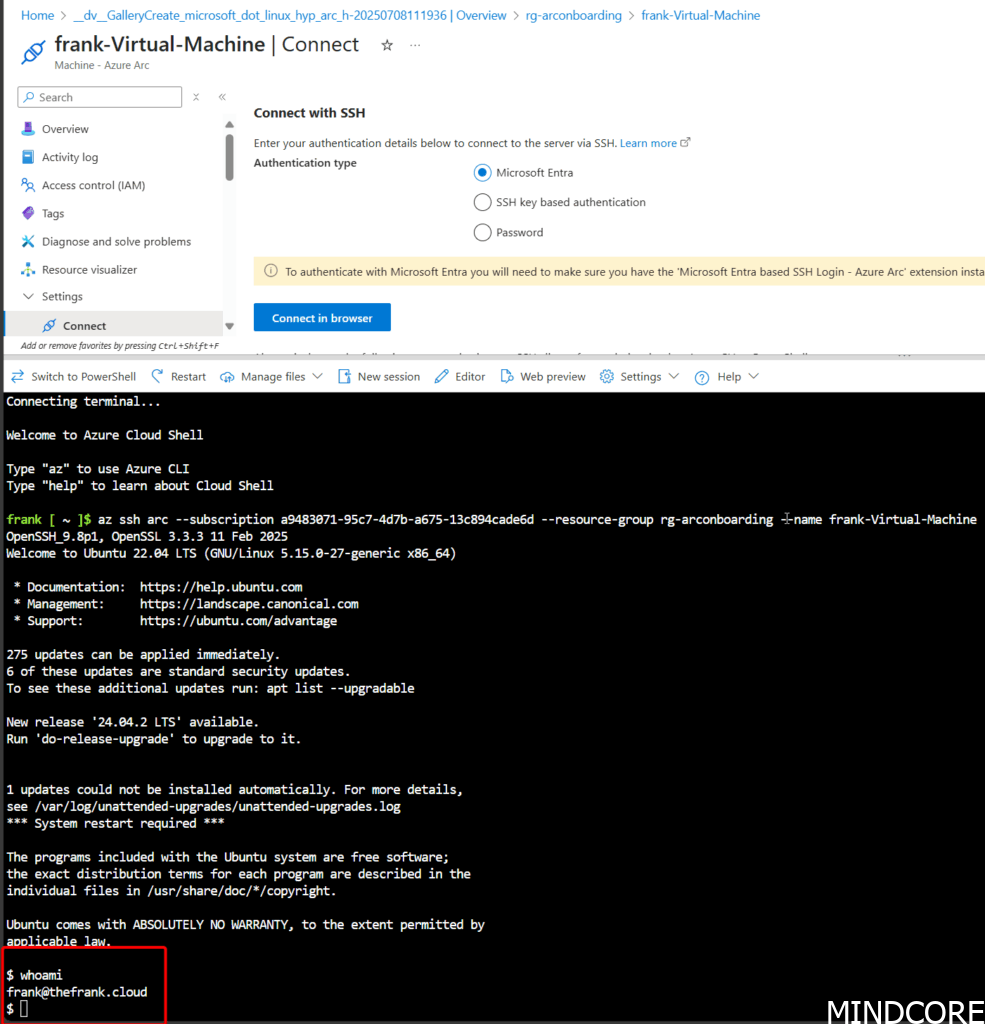
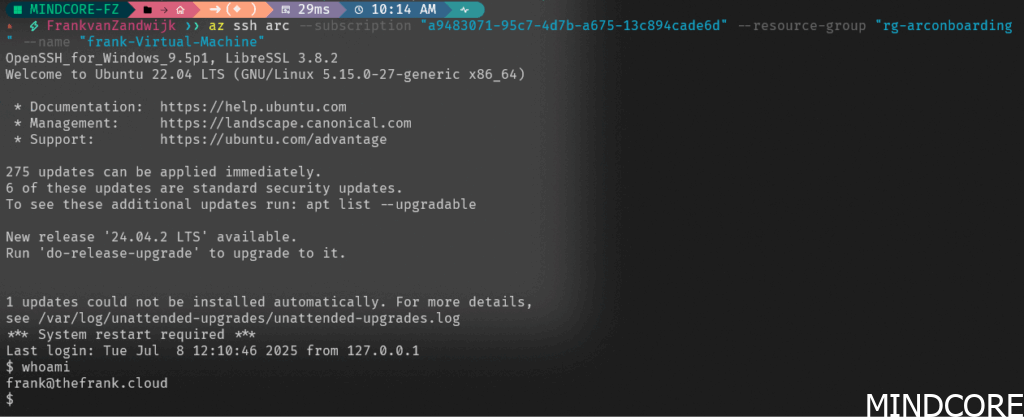
The same occurs when from a local terminal (as long as I have Az CLI installed and I’m already authenticated):
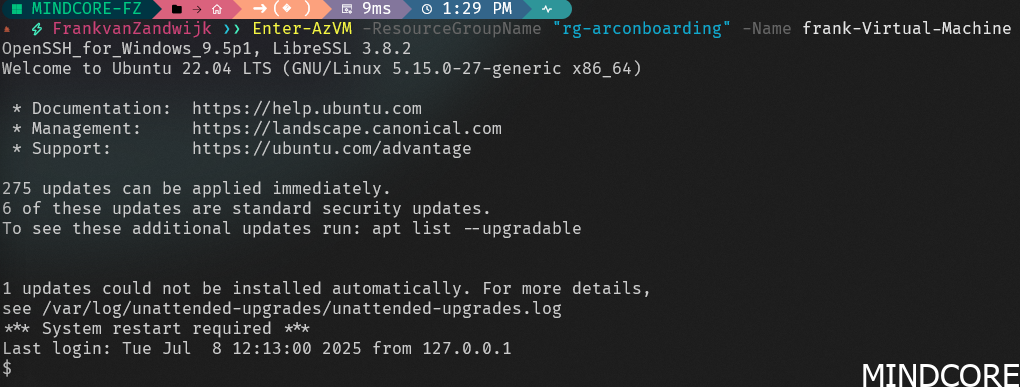
And the same can be done in PowerShell using the Enter-AzVM cmdlet:
How does sudo work?
After users who are assigned the VM Administrator role successfully SSH into a Linux VM, they’ll be able to run sudo with no other interaction or authentication requirement. Users who are assigned the VM User role won’t be able to run sudo.
Conclusion
This first-party extension is miles ahead of Ubuntu’s own open-sourced implementation that promises to do the same called authd. Having tested that in the past, their inherent design choices make it (in my opinion) strangely insecure (for example, requiring the use of device login, and setting of a local password for each user which bypasses Entra’s security controls). Maybe given enough time it can become better than Microsoft’s solution, but in the meantime if your organization is looking for a way to control SSH logins, Azure Arc and this extension may just fit the bill.
What I’d like to see
- A Windows-equivalent version of the extension. It’s a shame that Linux has this functionality yet Windows does not.








