Welcome to MEM tips and tricks
This is the first video on the brand new MEM tips and tricks YouTube site created by Mindcore’s Mattias Melkersen. The place to see and learn practical endpoint management skills in the real world.

This is the first video on the brand new MEM tips and tricks YouTube site created by Mindcore’s Mattias Melkersen. The place to see and learn practical endpoint management skills in the real world.
This time we will have a closer look at Identity Protection and possible impact for guest users (B2B collaboration users). So in order to test this out we will create a Identity protection user risk policy requiring all users to change password if there risk is calculated to medium
With the massive growth of Microsoft Teams since the start of the global COVID19 pandemic and Microsoft’s focus on pushing Teams as its primary collaboration interface. Organisations are now looking at how Teams can be used to optimise their End User experience by customising the solution to meet their
Old habits die hard when implementing new technologies for end users. The new world of Modern Workplace and working with online files can be a big jump for some users in your organisation, so it is nice to know that there are ways of making things feel a little
Have you ever wondered how you restrict users from editing documents in Microsoft Teams? Since the start of the COVID19 pandemic Microsoft Teams usage has grown by 70% to 44 million daily users. So, with such a popular tool there is no wonder that people have started to
Now that we have tenant attach available let’s have a closer look. Microsoft is now bringing Configuration Manager and Intune closer together in a the console Microsoft Endpoint Manager admin center (https://endpoint.microsoft.com/). Starting in Configuration Manager version 2002, we can upload Configuration Manager devices to the admin center and start
When our clients get unwanted guests, one thing they will often try is to disable Windows security features, like our antivirus protection. Now with the right license in place we can prevent this from occurring, the following actions can be prevented: Disabling virus and threat protection Disabling real-time protection Turning
In our original series on Windows Virtual Desktop we used a standard file server to host the FSLogix Profiles, this was the only option at the time – if used together with our on-premises Active Directory. Now it’s possible to use Azure file shares and on-premises Active Directory together (Preview
Last year we wrote about Azure AD and password-less sign-in https://blog.mindcore.dk/2019/07/azure-ad-and-password-less-sign-in.html Now we also have support (Public preview) for this in hybrid environments, so let’s try it out. We will use the same Yubico security NFC as last time. First thing we need to be aware of is that we
This is part 5 of our posts regarding Windows Virtual Desktop, until now we have covered: Part 1 – Created a Windows Virtual Desktop tenant – Part 1 Part 2 – Created a service principal and some customization of our on-premises AD – Part 2 Part 3 – Provisioning a
This is part 4 of our posts regarding Windows Virtual Desktop, until now we have covered: Part 1 – Created a Windows Virtual Desktop tenant – Part 1 Part 2 – Created a service principal and some customization of our on-premises AD – Part 2 Part 3 – Provisioning a
This is part 3 of our posts regarding Windows Virtual Desktop, until now we have covered: Part 1 – Created a Windows Virtual Desktop tenant – Part 1 Part 2 – Created a service principal and some customization of our on-premises AD – Part 2 In this part we will

This is part 2 of our posts regarding Windows Virtual Desktop, until now we have covered: Part 1 – Created a Windows Virtual Desktop tenant – https://blog.mindcore.dk/2019/11/windows-virtual-desktop-part-1.html Now let’s continue and create a service principal. We will create the service principal with PowerShell, in order to do that you will
This time we will take a look at Windows Virtual Desktop in Azure. We will connect this cloud solution to our own infrastructure so that we can use on-premises services as well. In order to make this work we already have a Site-to-Site VPN gateway connection setup to connect our
On Tuesday we identified a “funny” little thing when using the web version of outlook. If we invited an internal user to a meeting and that user only had two letters in his alias the invite failed (xx@domain.com), invitations to internal people with mail addresses that had more that two
In the last two post we looked at extending Azure AD with our own attributes https://blog.mindcore.dk/2019/10/azure-ad-extension-attributes.html and how to use this attribute to dynamically grant access to a Microsoft team https://blog.mindcore.dk/2019/10/access-to-teams-based-on-our-own.html. This time we will create the team and dynamic group using PowerShell instead. In order to do this we
In our last post we looked at extending Azure AD with our own attributes https://blog.mindcore.dk/2019/10/azure-ad-extension-attributes.html Now let’s try to dynamically allow access to a Microsoft team based on the attribute. First we create a Team in Microsoft teams. In teams we create a new private team called TestTeam. We will
This time we will try to extend our Azure AD directory with a new attribute, we will in a later post use this attribute for dynamic groups and team access. But let’s get started, we will in this test attach the extension attribute to users, but it can be assigned
This time we will take a closer look on how easy it is to onboard clients into Microsoft Defender Advanced Threat Protection with System Center Configuration Manager. First we will go the the Microsoft Defender Security Center https://securitycenter.windows.com/ On this page we select Settings – Onboarding – Windows 10 –
Since we now have Azure Bastion in preview it’s time to take a closer look. Azure Bastion will allow us to have private RDP and SSH access to our Virtual Machines from a HTML5 Web Browser over SSL. We can do this without using public IP address on the VM.
Desktop analytics is now available but only integrated with SCCM, so no Intune configuration for now, but let’s give it a test spin. We will start by clicking Desktop Analytics in Microsoft 365 Device Management or by using this direct link https://aka.ms/desktopanalytics Select Start. Then we need to Accept service
Since we have Azure Sentinel in preview, let’s give it a test spin. Azure Sentinel is a cloud-native security information and event manager (SIEM) platform that uses built-in AI to help analyze large volumes of data across the enterprise. Azure Sentinel aggregates data from a lot of sources, including users,
This is an updated version of one of our very old articles ADMX files available Also take a look at this post about How to create and manage the Central Store for Group Policy Administrative Templates in Windows And now we are talking policies – I would like to recommend
Microsoft has declared the Edge ready for enterprise testing, and by doing so we now have MSI installers and new ADMX files. I have previously written that I am impressed by this new browser, and this has not changed, I still think that Edge (Chromium) has potential to be the
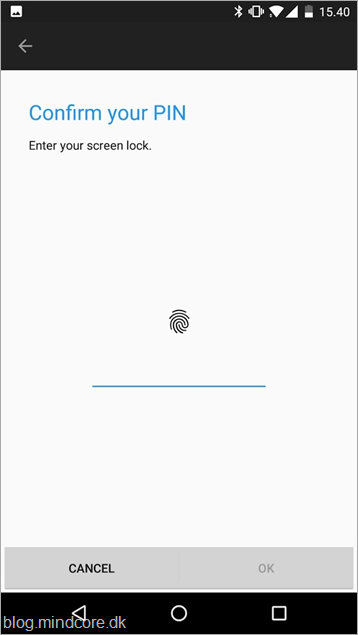
One of the interesting solutions a lot of us has been waiting for is now in public preview – password-less sign-in with Azure Active Directory (Azure AD). We have been able to use it with personal Microsoft accounts, but now we also can start testing with Azure AD accounts. So







