Mindcore Techblog

Let’s talk about Client Management, Security and IT Infrastructure

Azure AD Naming Policy in the portal

Back in March we wrote a post about using PowerShell to create Naming policies for Office 365 groups and teams. https://bit.ly/2W9hMlK Now this feature is available in the Azure portal. Go to Azure Active Directory and Groups: Naming Policy: Since we already added custom blocked words with PowerShell, we can

Continue to read »

Office 365 Message Encryption Templates

We are able to use multiple custom email templates in Office 365. This will allow us to use customized logos and text when sending encrypted emails. By default Office 365 will use the following layout when an external recipient receives an encrypted email:   Let’s try to change this, first

Continue to read »

Azure Portal Application

We now have an Azure portal application available on Windows, I haven’t found a lot of information but you can download the Application here: https://ms.portal.azure.com/App/Download It will install in your user profile in C:Users[user]AppDataLocalMicrosoftAzurePortalProduction At the time of writing the downloaded version is 1.0.18.0, but just a hour ago it

Continue to read »

Azure Privileged Identity Management – Part 1

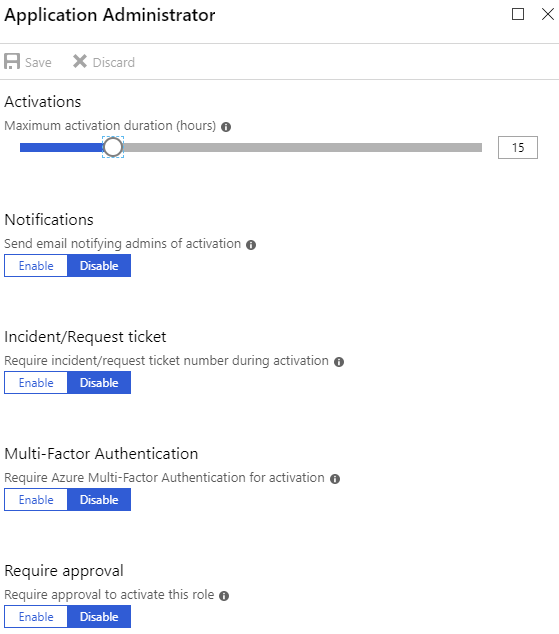
Administrating resources and services in a company has always been a challenge and most companies struggle with assigning the right level of access. On one hand administrative privileges are needed to ensure productivity and implementation of new services, while on the other hand these privileges are under attack from adversaries.

Continue to read »

Password-less phone sign-in with the Microsoft Authenticator app

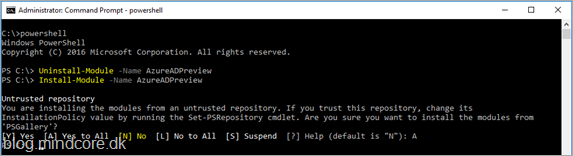
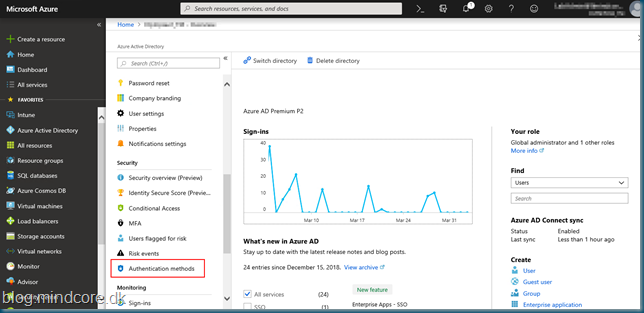
In two of the latest we tested Azure Self-service password reset and integrated the feature with Windows 10: https://blog.mindcore.dk/2019/03/azure-active-directory-azure-ad-self.html https://blog.mindcore.dk/2019/03/azure-ad-password-reset-on-login-screen.html This time let’s use the same user, and enable it to use Password-less phone sign-in with the Microsoft Authenticator app. This feature is in public preview and you need to

Continue to read »

Azure AD Password Protection

We now have Azure AD Password Protection generally available, this will allow us to eliminate easily guessed passwords. By using it we can lower the risk of password spray attacks. Password spraying is using a large number of usernames and loops them with a single password, this will give a

Continue to read »

Conditional Access

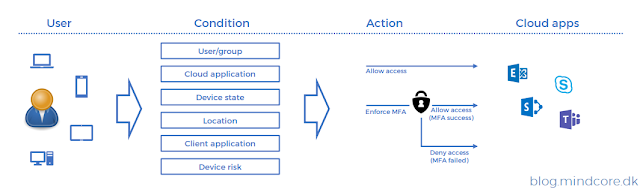
Securing cloud services against attacks requires a strong focus on identities. This is because cloud services, normally, is available from anywhere and access is often based on the login only. To address this threat, it is possible to implement extra layers to the login process, like Multi Factor Authentication. This

Continue to read »

Azure AD Password Reset on login screen

In one of the last posts we enabled SSPR in our hybrid environment. https://blog.mindcore.dk/2019/03/azure-active-directory-azure-ad-self.html This time let’s enable password reset on the Windows 10 clients login screen. Before we start we need to be aware of the following: Supported on Windows 10, version April 2018 Update (1803). Device must be

Continue to read »

Azure AD Naming Policy for Office 365 Groups

We can now enforce a Naming Policy for Office 365 Groups, lets give it a test drive. With the Naming Policy feature we can define prefix or suffix that can be automatically added to group names and at the same time we can define words that are blocked from use

Continue to read »

Azure Multi Factor Authentication

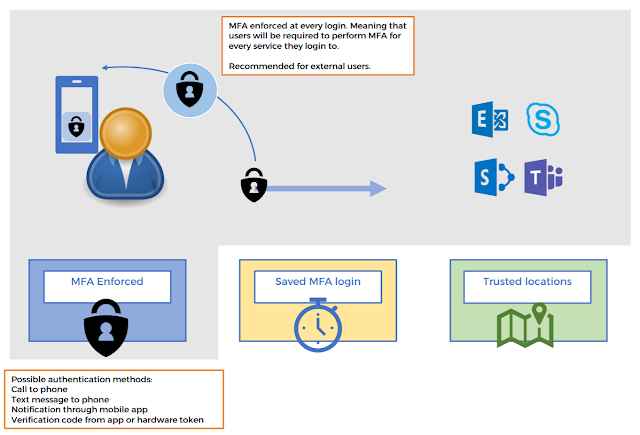
Identity as a security perimeter When using services available from anywhere, like cloud services, the security risk associated with user credentials increases drastically. In an on-premise infrastructure, companies are protected by the physical perimeter and attackers are forced to either physically connect to the on-premises network or overcome obstacles like

Continue to read »

Azure KMS Server

You might find yourself in a situation where you want all your computers to activate using Active Directory based activation except for your Azure VM’s, they should use the Azure KMS server. By default, when Active Directory based activation is enabled all computers on your domain will use Active Directory

Continue to read »

Don’t miss out on news from your favorite Tech-bloggers!

Search blog posts
Search
Authors
Modern Workplace consultant and a Microsoft MVP in Enterprise Mobility.

Modern Workplace consultant and a Microsoft MVP in Windows and Devices.

Infrastructure architect with focus on Modern Workplace and Microsoft 365 security.

Cloud & security specialist with focus on Microsoft backend products and cloud technologies.

Cloud & security specialist with focus on Microsoft 365.

Cloud & Security Specialist, with a passion for all things Cybersecurity

Cloud and infrastructure security specialist with background in networking.

Infrastructure architect with focus on design, implementation, migration and consolidation.

Infrastructure consultant with focus on cloud solutions in Office365 and Azure.

Modern workplace and infrastructure architect with a focus on Microsoft 365 and security.

follow us in feedly
Categories
  • Follow on SoMe